
App patch notes
What changed in each release of the app, newest first.
v2.87.0Start your game from the top bar, on every page
Added a Start button to the top bar, next to your profile name, on every page. Fixed the in-game overlay going away after Hide to tray or Minimize. With a subscription, a game no longer brings back the app if you hid or minimized it.
New Features
- Added a Start button to the top bar, next to your profile name, on every page.
- The profile menu now lists your profiles by game, with a Start for each game.
Improvements
- Start is replaced by a green Live next to your profile name while a game runs.
- With a subscription, a game no longer brings back the app if you hid or minimized it, when the game starts or ends. A hidden app still follows your startup choice in Settings when a game starts.
Bug Fixes
- Fixed the in-game overlay going away until your next game after Hide to tray or Minimize in the tray menu.
- Fixed the in-game overlay sometimes not opening in your next game until you restarted the app.
- Fixed the app sometimes opening on the same monitor as your game.
- Fixed the app not fitting on a narrow or vertical monitor without a subscription, which put the Close button off the screen.
- Fixed Exit in the tray menu not always closing the app.
- Your startup choice is now kept if a subscription ends, and applies again if you resubscribe.
- Fixed the Discord button on the empty FAQ page.
From the Discord community
Thanks to jav and nonzor, who reported or suggested changes in this release.
Join the Discordv2.86.0Export your match history as a CSV file from Settings
Settings → Account can now save your match history as a CSV file, for both games. Also fixed a rare Overwatch case where you showed up on the enemy team for a whole match, and the Sessions page's Ranked and Unranked tabs now hold only those matches.
New Features
- In Settings → Account, press Export CSV at the bottom of the Account card and choose where to save the file. It has one row per match, from both games, with your own stats, and names no other player. The line under the button then says how many matches it saved and where.
Improvements
- On the Sessions page, Overwatch Stadium matches that the game reported as plain Ranked now show under Stadium Ranked instead of Ranked. Arcade games such as Deathmatch no longer show under Unranked. Both still show under All.
Bug Fixes
Overwatch
- Fixed a rare case where you showed up on the enemy team for a whole match, on the overlay and in the app, and the match saved that way. Matches already saved like this are not changed.
From the Discord community
Thanks to sweetdweams, Kaity, WHiZ, nonzor, and bakzkndd, who reported or suggested changes in this release.
Join the Discordv2.85.0Hero stats sync again when a player's name has symbols in it
Hero stats from your matches sync to your account again after a match with a player whose name has symbols such as brackets in it, with nothing to clear. When Counterwatch can't open its local data on two starts in a row, the error screen now leads with Clear local data and says what clearing deletes. Opening a past match also no longer looks up every player in it.
Improvements
- If Counterwatch can't open its local data on two starts in a row, the "Local data won't open" screen now puts Clear local data first. Restart stays, but it rarely helps a second time.
- That screen also says what clearing costs you. Signed in, your synced history comes back after you sign in again. Signed out, the match history on this PC is deleted for good.
- In match history, a past match's players are now looked up when you open one of them, not when the match opens. Before, paging through many past matches could use up the limit on profile refreshes, so profiles stopped updating for a while.
Bug Fixes
- Fixed hero stats from your matches no longer syncing to your account after a match with a player whose name had symbols such as brackets in it. It stayed broken after a restart. Syncing starts again after this update, and nothing is lost.
- Fixed player profiles sometimes not loading when a player in the match had a quote mark (") or a backslash () in their name.
From the Discord community
Thanks to Uthester, who reported or suggested changes in this release.
Join the Discordv2.84.0Every custom game in a lobby now saves as its own match
Every custom game in an Overwatch lobby now saves as its own match, and Marvel Rivals matches with too many bans save without them.
Bug Fixes
Overwatch
- Fixed custom games after the first one in a lobby, including a restart from the lobby, not showing on the overlay or saving to match history.
Marvel Rivals
- Fixed some matches saving more banned heroes than the draft allows, sometimes including heroes played in that match; match history now shows no bans for them.
v2.83.0Stadium rounds hold only their own stats, and voided draws stay out
Each saved Overwatch Stadium round now holds only that round's stats. Since v2.80.0, a round could also carry the stats of the round before it, so its numbers in match history read too high. Voided Competitive matches that Overwatch reports as a draw are also no longer saved: a draw in Control, or one under three minutes, stays out of your history.
Bug Fixes
Overwatch
- Fixed Stadium rounds in match history sometimes including the previous round's stats.
- Fixed some voided Competitive matches being saved as draws. Control cannot end in a draw, so a Control draw is no longer saved, and neither is a draw under three minutes.
v2.82.0Sessions no longer show twice, and rejoined matches keep their ranks
Fixed the Sessions page showing every older session twice after Counterwatch lost its local settings, for example when it asked you to sign in and set up again. Your matches and stats were never doubled, and the extra copies are removed when you update. Competitive matches you rejoin after a disconnect now save the ranks of everyone in the lobby.
Improvements
- On the Sessions page, the matches inside each session are now listed newest first, the same order as the sessions.
Bug Fixes
- Fixed the Sessions page showing older sessions twice after Counterwatch lost its local settings.
- Fixed competitive matches you left and rejoined sometimes saving without the ranks of the other players in the lobby.
- Fixed Counterwatch sometimes opening again by itself a few seconds after Overwolf closed it.
v2.81.0Pick a game mode right above a hero's maps
The game modes on a hero's page moved into Map Performance. Each mode is now a button with the hero's win rate in that mode, and choosing one shows only that mode's maps. Rank emblems also draw at one height now, and Marvel Rivals hero pages show emblems under the Performance by Rank chart instead of short text.
Improvements
- In Stats, open a hero and scroll to Map Performance. The row at the top shows All modes, then each mode with the hero's win rate. Click a mode to see only its maps.
- The map bars on a hero's page now have a dashed line at 50%.
Bug Fixes
General
- Rank emblems now draw at the same visible height. Before, empty space around some emblem images made those ranks look smaller.
Marvel Rivals
- The Performance by Rank chart on a hero's page now shows each rank's emblem under the chart. Before, it showed short text such as "Cel+".
v2.80.0Settings and hero pools follow your account
Settings, your overlay layout and your hero pool now follow your account when you sign in on another PC. Premium subscribers can put hero or map art on their Discord status. Reconnecting while Counterwatch stays open also keeps heroes you used before the disconnect, even if you return on a different hero.
New Features
- Your settings, overlay layout and hero pool now sync when you sign in with the same account on another PC.
- In Settings, open Discord status. Premium subscribers can choose hero or map art under "Large image", and a hero portrait under "Small image"; the preview shows the result.
- In Settings, App Behavior, turn on "OLED protection" to dim the always-on overlay and shift its position slightly every few minutes.
Bug Fixes
- A player's match totals no longer drop back to zero when they disconnect and return.
- A saved match now keeps heroes you played only before disconnecting when you reconnect while Counterwatch stays open.
- Cloud sync failures now show a notice with a retry button. If your session has expired, the notice offers sign-in.
v2.79.0Choose what you share, and buy a plan without a Discord step
You now choose whether Counterwatch shares how you use the app, and you can change that answer in Settings at any time. Signed-in players are also asked whether they want news by email. Buying a plan is shorter too: every plan includes its Discord role, and you claim the role after paying instead of verifying Discord first.
New Features
- Settings > App Behavior has a new "Product analytics" switch: turn it off and Counterwatch stops sharing how you use the app with Mixpanel, its analytics service, or turn it back on at any time.
- Signed-in players see a "Something big is coming" notice in the launcher asking whether to get Counterwatch news by email. It comes back each time the launcher opens until you press Yes or No, and "Not now" asks once more two weeks later. The "Counterwatch news by email" switch in Settings > App Behavior changes the answer at any time.
- On the Stats page, click your name on the player card to copy it, ready to paste into the game's friend search.
Improvements
- Buying a plan no longer asks you to verify Discord first: every plan now includes its Discord role, which you claim after paying from the order page or the link in your confirmation email.
- Sombra's stats, pick rate and map popularity now count only matches played since her rework into a Support hero, so they show how she plays today.
Bug Fixes
- Upgrading from Plus to Premium now opens at the billing period you already pay, monthly or yearly, instead of always monthly.
- When your current plan cannot be loaded, the Upgrade button now waits beside a "Retry" button instead of opening a checkout that may not match your plan.
v2.78.0Search finds heroes by nickname, and the Session view stays open
Stats search learned the names players actually type, a hero's stat radar explains itself on hover, and a few windows behave better when a match ends or a game starts.
Improvements
- Stats search finds heroes by the names players use. Type "Monkey" in "Search heroes, maps, players..." and Winston comes up; "JQ" finds Junker Queen. A hero's real name still comes first.
- On a hero's page, hover the stat radar. A tip says the solid line is the hero per 10 minutes and the dashed line is the role average, then names each stat with both numbers.
- With Settings, "Opens by itself" set to only during a match, the Session view now stays open when a match ends if you opened it yourself or clicked or scrolled in it. It still closes by itself after a match you left it alone through.
Bug Fixes
Overwatch
- In Stats, Overview, the 5V5 rank card no longer lists your Open Queue rank beside your three role ranks. 6V6 shows its Open Queue rank.
All games
- The Counterwatch logo in the bottom-left corner of the overlay no longer disappears while you hold F1 or a communication or spray wheel key.
- When a game starts on the monitor the launcher is on, the launcher moves to another monitor and now shrinks to fit it, instead of hanging off its edge.
- Signing out no longer flashes the "Choose your username" window for a moment.
v2.77.0The launcher opens on a first start while a game is running
Version 2.76.0 started tracking without a setup window when a game was already running, but it opened no window at all. Only the overlay appeared in the game, with nothing to explain it. The launcher now opens at the same time.
Bug Fixes
- If Overwatch or Marvel Rivals is running when you open Counterwatch for the first time, the launcher now opens together with the overlay. In 2.76.0 only the overlay appeared, and the launcher came up when you closed the game.
- In the hero change popups in the game, a hero portrait that fails to load now leaves an empty tile. Before, it showed a broken image and the hero's name over it.
v2.76.0Enemy hero reveals in one popup, and hero pool editing in Stats
When the enemy team's heroes are revealed, the hero change popups in the game now show them as one group. From the second round, one popup shows which enemies changed hero, or reads "Same lineup". In Stats, you can now add a hero to your hero pool from the tier list and from the hero's page.
New Features
- In Stats, the tier list has a "Pool" column. Tick it to add a hero to your hero pool. On a hero's page, press "Add to your pool".
- If a game is running when you open Counterwatch for the first time, tracking starts right away, without the setup window. The launcher opens when you close the game.
- If the game was open before Counterwatch started, the launcher now says "Restart Overwatch to start tracking" (or Marvel Rivals). This shows only until your first tracked match.
Improvements
- The "Hero Change Feed" overlay widget shows the enemy team as one row of portraits when their heroes are revealed in the first round.
- From the second round, one popup shows every enemy who changed hero, with the earlier hero in grey. If nobody changed, it reads "Same lineup".
- To go back to one popup per enemy, open the overlay editor, click "Hero Change Feed", and untick "Enemy team reveals".
- On Home, the start button reads "Start it from its own launcher" for a game Counterwatch cannot start itself.
Bug Fixes
- When Overwolf closed Counterwatch, a launcher window could stay behind and use more and more memory. It now closes itself.
- The tips in the overlay editor no longer skip ahead on their own. They stay until you click.
- "Database maintenance recommended" now appears only after two slow starts in a row, not after one.
- Overwatch: in match history, a Stadium match now shows player ranks on every round, not on one.
v2.75.0UI Scale fits your monitor, and windows keep their full width
In Settings, "UI Scale" now offers only the sizes your monitor can show, and windows keep their full width above 100%. The "Rank tracking paused" warning no longer shows when your career profile is public.
Improvements
- In Settings, "UI Scale" no longer offers a size too large for your monitor. A size chosen on a larger monitor is lowered when Counterwatch opens on a smaller one.
- The second-screen window is now called "Session view" in Settings, the hotkey list and the in-game reminder.
- After a 4 or 5 star rating, Counterwatch asks before it opens the store page.
- Overlay widgets are now off by default in side modes such as Arcade, Custom Game and Practice. Game types you already chose are kept. To change them, open the overlay editor, click a widget, and tick the modes under "Game Types:".
Bug Fixes
- With UI Scale above 100%, a window could come back narrower than its content after it was restored or moved. Windows now keep their full width.
- The "Rank tracking paused" warning sometimes showed although your career profile was public. It now shows only when the profile really cannot be read.
- In the overlay editor, the "None" button under "Game Types:" left the widget showing. It now turns it off in every game type.
- The subscribe window now tells you when the checkout page did not open, and offers "Try again".
v2.74.0Fixed the launcher not opening after the splash screen
On some PCs, Counterwatch showed its splash screen and then no window. Starting it again did not help. The window now opens after a wait of about three seconds. In Overwatch, Doctrine has a sharper portrait.
Bug Fixes
- On some PCs, Counterwatch showed its splash screen and then nothing, on about every second start. Starting it again did not help. The window now opens after about three seconds.
- On those PCs, sync and the data status sometimes did not start even when the window opened. They now start.
Overwatch
- Doctrine has a sharper portrait.
v2.73.0Clearer notices when match tracking is paused, and Doctrine joins Overwatch
When match tracking is paused by a problem on Overwolf's side, the message in the game now says so. Before, it asked you to restart the game and Overwolf, which could not help. The notice also clears as soon as Overwolf's fix reaches your PC. Overwatch gets the hero Doctrine, the map Grímsvötn and the Mystery Madness mode, and Sombra is now a Support hero.
New Features
Overwatch
- Added the new Support hero Doctrine.
- Added the new Escort map Grímsvötn.
- Added the Mystery Madness game mode.
Improvements
- When match tracking is paused by a problem on Overwolf's side, the message in the game now reads "Overwatch tracking paused" or "Marvel Rivals tracking paused". Before, it read "Connection Issue" and asked for a restart.
- That notice now clears as soon as Overwolf's fix has reached your PC. A message then reads "Overwatch tracking is back" (or Marvel Rivals). Start the game, or restart it if it is open.
Overwatch
- Sombra is now a Support hero.
Bug Fixes
- When a file behind your local match data is lost, a new "Local data damaged" notice in the launcher offers "Clear local data & restart". Before, nothing told you.
- The "Database update stuck" notice promised every player their history back after signing in. If you are not signed in, it now says that clearing deletes your match history and notes on this PC.
- The "Local storage unavailable" notice now also appears when your disk fills up while Counterwatch is running, not only at start.
v2.72.0Wheel menu keys hide the overlay, and renamed Overwolf accounts keep their plan
Holding a wheel menu key now hides the overlay in both games. The v2.71.0 notes announced this for Overwatch, but the key was never active. Subscribers who renamed their Overwolf account no longer fall back to the free plan on every launch. Stats keep the matches from an old BattleTag after a name change.
Improvements
- The overlay now hides while you hold a wheel menu key, and comes back when you let go. The keys are in Settings > Hotkeys: "Communication Menu" (C) and "Spray Menu" (Y) for Overwatch, "Customizable Wheel" (T) for Marvel Rivals. If your wheel is on another key in the game, set the same key there. Mouse buttons are not supported.
- After you subscribe, the subscription window now welcomes you to your new plan once the purchase is confirmed.
- In the player window (Stats > Players, then click a player), your record with that player now reads in words, for example "With 4-2 · Against 1-3".
Bug Fixes
- If you renamed your Overwolf account, your subscription dropped to the free plan on every launch until you linked the account again. The plan now stays.
- After a BattleTag change, matches from the old BattleTag were sometimes missing from your stats until you restarted the app.
- After a failed database update, every window switched to an error screen about every 30 seconds. The windows now stay open.
- The "Database update stuck" notice now appears even if you closed an earlier database error notice.
- In the match timeline, tooltips now show the time within the round, the same as the axis.
- Overwatch: the default Discord status now lists eliminations, assists and deaths, in the order the game uses.
v2.71.0Overlay fixes for UI Scale and the Overwatch communication wheel
Changing UI Scale while a game is running no longer shrinks the in-game overlay into the top-left corner. In Overwatch, the overlay now hides while the communication wheel is open, and no longer switches to its hero select layout. New announcements now appear while the app is open. Impact for Overwatch supports counts eliminations and assists together, so a support is not rated lower for getting kills through damage.
Improvements
Overwatch
- Impact for supports now counts eliminations and assists together as one figure. Before, a support who took part in kills mostly through damage was rated lower than one with the same number of kills as assists. Most support ratings move by about 1 point, and past matches are rated the same way.
- The overlay now hides while the communication wheel key is held. Before, it switched to its hero select layout for as long as the key was held. The key is "Communication Wheel" in Settings > Hotkeys and is C by default. If your wheel is on another key in Overwatch, set the same key there.
Bug Fixes
- Changing UI Scale while a game is running no longer leaves the in-game overlay tiny in the top-left corner.
- A new announcement now appears while the app is open, and the sync button brings it in too. Before, it showed only after a restart.
- An urgent announcement that is scheduled for later now shows its popup when it starts.
- In the text editor for support tickets, the Quote, Bullet List, Numbered List and Heading buttons now turn the format off when you click them again. A link can be removed with "Remove link".
- Block quotes no longer show extra quotation marks around the text.
v2.70.0Impact: one rating for how you played, in every session and match
Sessions and matches are now rated with Impact, a number from 1 to 99 with a letter from S to F. It compares your kills, deaths and assists with the typical player on the same hero at your rank, weighted for your role: for supports, assists and deaths count the most. Healing, damage and mitigation are still tracked but are not part of it, because they added nothing once those three were known. Winning or losing does not change it. Impact replaces the win-rate session grade and the hero grades on an opened match.
New Features
- Impact. It reads like "Impact 71 B" and shows on the Home session card, on every session in the Sessions tab and at the top of an opened match. During a match, the player window shows it too. In Stats > Overview, "Best session" is now your best session Impact of the last 90 days. Signed out, it reads "Sign in to see Impact". Arcade modes and Marvel Rivals matches with bots are not rated.
Improvements
- Sessions tab: a session's matches are now listed oldest first, in the order you played them.
Overwatch
- In Stadium, enemy heroes now show as soon as a round's setup ends, without the 15 second wait.
Marvel Rivals
- Matches with bots no longer count in community stats.
- Kills and deaths of a player whose name the game hides are now kept in the Match Timeline when the team and hero identify the player.
Bug Fixes
- Sessions tab: choosing a filter no longer briefly shows "No matches found", and the Filter menu closes when you click outside it.
- Sessions tab: the list no longer stays stuck on "Loading more sessions...".
Marvel Rivals
- A player opened from Stats > Players now shows their name in the player window instead of a row of digits.
v2.69.0A clearer warning when your rank stops being tracked
If Counterwatch can't read your Overwatch career profile, the warning now says what that costs you: new matches are saved without a rank, and your rank progression stops updating. The fix steps name the exact menus in the game, and the warning can be hidden for 7 days. A player you met on the other side before now shows your shared record.
New Features
- If you have the Early Supporter title, it now shows under your name on the player card in Stats > Overview, and next to your account in Settings > Account.
Improvements
- A hero the game adds before Counterwatch knows about it now shows its portrait across the app. Its matches also count in your hero stats and on the Best hero card in Stats > Overview.
Overwatch
- The warning at the top of the main window is now titled "Rank tracking paused" and says that your rank isn't being recorded until the profile loads.
- Click the X on the warning to hide it for 7 days. When the warning is open, "Hide for 7 days" does the same.
- Stats > Overview shows a "Rank progression paused" warning in the 5V5 and 6V6 views. Click "How to fix" for the steps, then "Check again".
Bug Fixes
- In match history and the post-match scoreboard, a player you had only met on the other side (a past teammate who is now an enemy, or the reverse) showed no shared history, and it could not be opened. The history icon next to them now shows your record from the other side, dimmed. Click it to open their History tab.
Overwatch
- The fix steps sent you to "Overwatch Settings" and "Social", where the option isn't. They now say: open the Menu, then Options. Go to the Social tab, then Privacy. Under Identity, set Career Profile Visibility to Public.
v2.68.0God Quarry in your match history, and a Competitive roster fix
Marvel Rivals matches played on a map the app did not know yet, God Quarry today, now show the map's name, mode and art in match history and count toward your stats on that map. In Competitive, a player who was never in your match no longer stays on your team for the rest of it. Hero Pool changes made before your first match are also kept now.
Improvements
- The Hero Pool card on Home now suggests heroes to add even when your pool is empty. A suggestion needs at least 3 matches on that hero, so switching to a hero and back in one match no longer counts.
- On the Stats tab's Heroes tier list, showing "Hero pool" now lists your pool heroes even when you have no matches that fit the other filters.
Marvel Rivals
- Matches on God Quarry, the new Domination map, now show its name, mode and art in match history instead of "Unknown Map". The same goes for any map the game adds before the app knows about it. Matches you already played there are fixed too, and count toward your stats on that map.
Bug Fixes
- Heroes you added to your Hero Pool before the game had identified you disappeared after your first match. They are now kept. If yours disappeared this way, it comes back as long as you have not built a new pool since and you play that game on one account.
Marvel Rivals
- In Competitive, the game sometimes briefly lists a player who is not in your match. That player could stay on your team as a seventh teammate for the rest of the match, and was saved with it. They are now ignored.
v2.67.0Outage messages that say when tracking stopped
When Overwolf stops sending Overwatch game data, the status message now says when tracking stopped and when Overwolf's fix usually arrives, in your own time zone. The banner, the title bar status and the session window now always say the same thing. Also fixed the banner claiming a fix was rolling out when none existed yet.
Improvements
- The status banner at the top of the main window now reads like "Overwatch tracking paused since Tue 8:10 PM", followed by when the fix usually arrives, for example "by tomorrow night".
- If the usual time passes, the message says so. Once Overwolf releases the fix, it says when the fix came out.
- Click "More info" on the banner for the details, including what to do: nothing, the app picks the fix up by itself.
- The status popup in the title bar and the session window show the same message as the banner. Before, they could disagree.
Marvel Rivals
- The status message now says when tracking stopped. It does not estimate when the fix arrives.
Bug Fixes
Overwatch
- The banner could say "Overwatch Fix Rolling Out" while tracking was still broken and no fix existed yet. It now says tracking is paused until the fix is actually out.
v2.66.0Smaller overlays and more accurate team composition
- Overlay widgets can be resized down to 50% again, and upgrades preserve saved sizes below 80%.
- Disconnected players no longer count toward the team composition shown on the second screen.
v2.65.1Fix for sessions not updating
- Fixed an app-startup issue that could stop sessions from updating as you played.
v2.65.0Faster history and a fix for cut-off windows
Match and player history now open faster, especially when you have many saved matches. Fixed the main window appearing cut off after a match when it had moved between monitors. Marvel Rivals match timelines also keep kills that happened before an enemy's hero was revealed, so those moments no longer disappear from the record.
Improvements
- Opening match history and player history is faster, especially with many saved matches.
- Overlay widgets saved below 80% size now open at 80%; larger settings stay the same.
Bug Fixes
- Fixed the main window appearing cut off after a match when a maximized window moved to another monitor.
Marvel Rivals
- Match timelines now keep kills that happen before an enemy's hero is revealed.
v2.64.0Pickrate that counts Marvel Rivals bans, and matches in their own window
Pickrate on the Stats tab now shows the share of teams that play a hero, so most numbers are about half what they were. In Marvel Rivals it also leaves out matches where the hero was banned, so heroes that get banned often no longer look like rare picks. Clicking a match on the Sessions tab now opens it in its own window.
Improvements
- On the Stats tab, the Pickrate column in the tier list and the pick rate by rank on a hero's page now show the share of teams that play the hero. A hero that one team plays for the whole of every match reads 50%, where it used to read 100%.
- Hover a number in the Pickrate column to see what it counts.
- On the Sessions tab, clicking a match opens it in its own window. It used to open inside the main window, or expand under the row.
Marvel Rivals
- Pickrate now leaves out matches where the hero was banned. Heroes that get banned often used to look like rare picks, and ranked too low under "Heroes to ban" on a hero's page.
Bug Fixes
- The Hero Pool card on the Home tab could suggest removing a hero you had played recently. It now looks at your whole match history for the heroes in your pool.
- Arcade, custom games and matches against AI changed which heroes the Hero Pool card suggested adding. They no longer count.
- The win streak on the Home tab counted wins in Arcade and other modes that do not count toward your stats. It now counts only the modes your stats use.
- Text in the first-time setup window was small and hard to read. It is larger now.
v2.63.0Map records in every mode, and new Overwatch heroes named sooner
Your record on a map appeared in only a few modes. In all the others the Map Performance overlay showed nothing at all. It also kept the numbers it had when the app started, so your record never moved while you played. Both are fixed, and in Overwatch a hero added in a new season now shows their real name instead of Unknown.
New Features
Overwatch
- A hero added in a new season used to show as Unknown on the Teammates Roster and Enemies Roster overlays until Counterwatch was updated for them, which took a day or two. Their real name now appears without that wait.
Marvel Rivals
- Gorr The God Butcher has shown on rosters and in match history since the day he launched. He now also appears in the Heroes section on the Stats tab, with his win rates and counters.
Bug Fixes
- The Map Performance overlay showed no record in most modes. It now shows your record in every mode.
- The Map Performance overlay kept the numbers it had when the app started, so your record did not move while you played. It now updates after each match is saved.
- A map added to the game in a new season showed no record at all. Your record on it now shows from the first match you play there.
Improvements
- The separate windows you open for a match, a player or a hero are now limited to six matches, twelve players and six heroes at once. Opening one past the limit closes the one you used least recently.
v2.62.1The in-game overlay draws at full size again
- The in-game overlay could appear very small in the corner of the screen. It is back to full size.
v2.62.0Players who leave a Marvel Rivals match no longer stay on your team
A Marvel Rivals player who left during a match used to stay on your team. The team panel grew over the enemy team, the role counts still included them, and the post-match scoreboard kept them. In some cases the game gives no departure signal at all, so the roster is now rebuilt from the seats it can actually see, and a player who leaves goes with them.
New Features
- Every view of a support ticket now has a copy button next to the ticket number. Press it to copy the number, and the button confirms when it has been copied.
Improvements
- In Overwatch, the enemy team appears about a second sooner at the start of a round. The timer that controls it was starting late.
Bug Fixes
- Setting up Counterwatch for the first time could end on an empty window, with no way forward except starting the setup again. A harmless background error was being treated as a serious one.
- Copying the app version from the help page could show a success tick when nothing had reached your clipboard.
Marvel Rivals
- A player who left during a match stayed on your team. The team panel grew over the enemy team, the role counts included them, and they stayed on the post-match scoreboard.
v2.61.1The app opens without waiting on a slow connection
Counterwatch checked for its own update before it would show anything, and it waited for the answer. When that check was slow, the app sat with no window for minutes, and some launches never showed one at all. The check now runs in the background while the app opens, so a slow connection delays the update, not the app.
Bug Fixes
- Fixed the app taking a long time to open, or not opening at all, when the connection was slow. It no longer waits for the update check before showing a window.
v2.61.0The launcher comes back sooner when you exit Overwatch
The launcher now comes back a few seconds sooner when you exit Overwatch to the desktop. Subscription prices were wrong in two ways: the subscribe screen left sales tax out of a price it then charged with tax, and a discounted first month read like a monthly price. Both are corrected. The "Profile unavailable" warning also stopped appearing when nothing was wrong.
Improvements
General
- Reduce animations, in Settings under Customization, now stops sliding, growing, fading and popup animations across the app, not just looping effects.
- Numbers marked pp explain themselves now. In Sessions, during a match, hold your mouse over one: a tooltip says pp means percentage points of win rate.
Overwatch
- The launcher comes back a few seconds sooner after you exit the game to the desktop.
Bug Fixes
General
- Fixed the subscribe screen showing prices without sales tax while charging with it. With 25% VAT, a first month shown as 1.99 was charged as 2.50. Every price includes the tax now.
- Fixed a discount being shown as a monthly price. A discount covers the first payment only, so "3.49/month" was 3.49 once and 6.99 after that. Prices now say what the plan renews at.
- Fixed the "Profile unavailable" warning appearing when your career profile had simply not been read yet, which hit new players and anyone playing during a game server outage.
v2.60.0Stadium series show every round, and rank cards show the right ladder
Some Overwatch Stadium matches appeared in your match history as one ordinary match, not as a series. They now show the overall result with every round listed, and enemy heroes in them appear as soon as they are picked. Peak rank cards had a separate problem: the 5v5 card could show your 6v6 number, and the other way round. Each card now shows the right one.
Bug Fixes
Overwatch
- Some Stadium matches appeared in your match history as one ordinary match. They now appear as a series, with the overall result and each round listed.
- Enemy heroes in those Stadium matches stayed hidden until late in the round. They now appear as soon as they are picked.
- The 5v5 and 6v6 peak rank cards no longer show each other's number. Each card shows the rank for the ladder the match was played on.
Improvements
- Re-scored several Overwatch and Marvel Rivals heroes for how well they fit poke, rush and dive compositions. Composition suggestions change as a result.
v2.59.0Career records that never reset, plus Marvel Rivals matches on new maps
Records now sit in their own band on the Stats Overview and cover your whole history, so switching season or mode no longer resets your longest win streak or your best hero. Overwatch also gets an all-time peak rank for the first time, one for 5v5 and one for 6v6. Marvel Rivals matches played on brand-new maps are saved again.
New Features
General
- Your longest win streak, best hero, best session and career match count now sit in their own records band on the Stats Overview. They count all of your tracked ranked and unranked matches, and the season and mode filters no longer change them, so a record stops going back to zero every few weeks. The band states its scope on screen.
Overwatch
- The records band shows your all-time peak rank, with a separate card for 5v5 and 6v6, because those are two different ladders. A ladder you have no recorded rank on gets no card instead of an empty one.
Improvements
General
- When game data is not working and your installed Overwolf version is below the minimum Overwolf published, the status message now tells you that an Overwolf update is what fixes it, instead of only showing an outage.
- The switch that turns your Discord status on and off moved out of App Behavior and into the top of the Discord status section in Settings, next to the description and the preview it belongs to. The Settings menu entry now uses the same name as the section heading.
Overwatch
- A player's rank now matches the role they are playing. If that role has no rank this season, the app shows the last rank it knew for that role, dimmed and dated, instead of showing a rank from another role or from open queue. Every place that shows a rank now agrees.
Bug Fixes
General
- Fixed the app reporting that game data was not being received while a game was still starting up, and again a few minutes into an ordinary match. Both showed a connection warning while everything was working normally.
- Fixed the composition widget showing your team as ahead before the enemy lineup was known, and drawing an even 0% against 0% split. It now says there is no read yet, and names the team that is really ahead once both sides can be scored.
- Fixed the progress bar during a database update showing more than 100%.
Marvel Rivals
- Fixed matches played on maps added after the last app update being dropped completely, so they never appeared in your history or your stats. Those matches are now recorded.
v2.58.0A rejoined match no longer saves as a loss you didn't take
Rejoining a match after a disconnect could save it with the wrong result, so a win you came back for was recorded as a loss. Draws also stop counting as losses: win rates and session grades now follow one rule across the app, and a record with no decided match shows a dash instead of a made-up 0%. Overwatch profiles that stop being readable now keep what was last read instead of vanishing.
Improvements
General
- Win rates are now counted the same way everywhere: wins divided by wins plus losses, with draws left out. A 5W-4L-1D session reads 55.6% and grade B, instead of 50% and grade C.
- A player whose career profile can no longer be read, because it went private, was renamed, or is temporarily unavailable, now still shows the last profile the app managed to read. It is dimmed, marked, and dated so you can see how old it is, instead of showing an empty panel.
- Player profiles in the app and on the website now pick the same data for the same player, so they no longer disagree.
- The tier list and the player encounter tiles now say "decisive matches", which is the number they were already showing.
Bug Fixes
General
- Fixed a match you rejoined after a disconnect being saved with the result of the abandoned attempt. Leftover parts of the first save are now cleared, so the match no longer keeps players or bans from it either.
- Fixed the win rate in a player's shared history disagreeing with the record shown beside it, for example 1-0 next to 33%.
- Fixed hero grades, matchups and synergies counting a swap away and back as extra matches, which let a hero get a graded comparison off too little history.
- Fixed "Show players window on death", which had never opened the window in either game. Deaths from abilities and self eliminations now count too, and losing a turret no longer counts as dying.
- Fixed a match played on a brand-new map being left out of your overall stats, not just out of the map breakdown.
- Fixed your all-time record showing 0% when the app could not read it, which looked like you had lost every match.
- Fixed a profile that would not update again for the rest of the session if it was refreshed while already loading.
- Fixed a tip pointing at something that had disappeared leaving a dark overlay on screen that swallowed clicks. Tips you never actually saw are no longer marked as seen.
Overwatch
- A player with no current rank no longer shows their all-time peak in its place, which overstated anyone who has since dropped.
- A remembered rank now says when it was last read, instead of being drawn as though it had just been checked.
v2.57.0D.Mon added, and overlay widgets no longer flash old data
Overwatch's new Tank D.Mon is now supported in the app, with her portrait, her place in hero pool suggestions and her own entry on the Stats page. Kills involving her were being thrown away completely, so they count again. Brand-new heroes also stop showing the unknown silhouette across your history, and overlay widgets no longer flash old data when they come back on screen.
New Features
Overwatch
- D.Mon, the new Tank from Season 4: Heroes of Busan, is now fully supported. She appears with her real portrait, counts toward your hero pool suggestions, and has her own row in Stats > Heroes.
Bug Fixes
General
- Fixed overlay widgets briefly showing old information the moment they reappear, such as the player list from your previous match.
- A hero added after the last app update now shows her real portrait in match details, session rows, Stadium series rows, the Home session card and your season stats, instead of the unknown silhouette.
Overwatch
- Fixed every kill involving a hero added after the last app update being dropped, which also left players showing as alive on the overlay roster after they had died. D.Mon was the first hero this affected.
v2.56.0Emerald rank added, and syncing recovers on its own
Added Overwatch's Emerald division everywhere the app shows a rank, including match history and the journey chart. Syncing now recovers by itself after a short server problem, instead of stopping until you restart the app. Search also finds heroes and maps however you spell them, so you no longer need the exact accent or punctuation.
New Features
Overwatch
- Emerald now sits between Platinum and Diamond with its own emblem. Every rank in the app reads correctly on the new ladder.
Improvements
General
- Search now matches names however you type them.
lufinds Lúcio,dvafinds D.Va andtorbjornfinds Torbjörn. - Win rates based on only a few matches now look dimmer instead of grey, so you can still compare them.
Bug Fixes
General
- Fixed a short server problem stopping all syncing for the rest of the session. The app now recovers on its own.
- Fixed a stuck download of shared content, like articles, blocking your own matches from uploading.
- Announcements, sync warnings and the private profile notice now show on every tab, not only Home.
Overwatch
- Fixed kills on turrets and pylons sometimes not being counted.
Marvel Rivals
- Fixed a teammate with a fully charged ultimate sometimes still showing as charging on the team roster.
- The team roster no longer grows and shrinks as teammates charge or use their ultimates.
v2.55.0Steadier overlay widgets and a Stadium series stats fix
A Stadium series now counts as one encounter in your Players list instead of up to seven, so your records with and against a player read correctly. Overlay widgets like the roster and players list no longer shrink or jump to the top when placed near the screen edge, brand-new heroes show their real portrait in the overlay right away, and loading placeholders no longer resize as they wait.
Bug Fixes
General
- Overlay widgets that size to their content, like the roster and players list, no longer shrink below the size you set or jump to the top when placed near the right edge of the screen.
- Loading placeholders no longer grow slightly larger and snap back, which was causing a flicker just before content appeared.
- Enemy hero swaps now show up reliably in the change popups and match what the in-game roster shows, and the popups respect your hero-swap notification setting.
Overwatch
- A Stadium series now counts as one encounter in your Players list and records, instead of appearing as up to seven separate matches.
Marvel Rivals
- Fixed brand-new heroes showing the unknown silhouette in the in-game roster and lineup, so they display their real portrait as soon as they are added, and added support for The Hood.
v2.54.1Faster Stats page and the Players tab controls are back
The Stats page now loads faster when you have a large match history, and it stays fast as that history keeps growing. Filtering your Players list by mode or game type no longer hides matches you played earlier, the sort and minimum-match controls are back on that tab, and opening a player's details no longer re-checks their stats every time you visit.
Improvements
- The Stats page loads noticeably faster when you have a large match history, and the wait grows much less as that history gets bigger.
Bug Fixes
- Fixed filtering your Players list by mode or game type sometimes emptying it entirely, especially if you'd had the app installed a while.
- Brought back the sort and "5+ matches" controls on the Players tab.
- Fixed opening a player's details showing "Updating stats" on nearly every visit.
- Fixed the search saying it found no one for a player you'd clearly played with while the list was still loading.
- When a filter matches nothing, the page now names the active filter and offers to reset it instead of blaming you for having no matches.
v2.54.0The counterwatch.gg stats in the app, plus overlay and Stadium series fixes
The Stats page now shows the same stats as counterwatch.gg, with your own history alongside them: an Overview that tracks your rank and season journey, community tier lists shown at your rank next to your own results, full map rankings, and a player tracker backed by a search that finds any hero, map, or player. Alongside it, the in-game win chance no longer turns red when a match is in your favor, and a Stadium series you're still playing now reads correctly instead of announcing a final result.
New Features
- The Stats page now brings in the counterwatch.gg stats, with your own history alongside them. Overview shows your rank and how it has moved, your week-by-week results, milestones, and the heroes you added to your pool this season.
- Heroes shows the community tier list at your rank with your own results right next to the community numbers, and each hero opens a full page of matchups, duos, maps, and ban recommendations.
- Maps ranks every map by how much the community actually plays it, alongside your personal record and best heroes on each.
- Players lets you look up any Overwatch player, see everyone you've played with, and your record with and against them.
- A new search finds any hero, map, or player from anywhere in the Stats page.
Improvements
General
- In open queue, the live hero recommendations now split by role, so you can see the best pick for every role instead of only the one you're currently on.
- The Home page and other screens are much lighter on older hardware, and a new Reduce animations setting, together with your system's reduced-motion preference, can pause the remaining animations.
Marvel Rivals
- The ultimate charge numbers in the in-game roster are now larger and outlined, so they stay readable against a busy screen.
Bug Fixes
General
- Fixed the in-game win chance showing red even when the match was in your favor.
- Fixed the overlay editor drawing widgets larger than they actually appear in the overlay.
- Fixed the designed default widget positions not applying until you had arranged your own layout.
- Fixed the "Set up your hero pool" prompt appearing even when you had already set one up.
Overwatch
- Fixed a Stadium series you're still playing showing a final result instead of "In progress", across your sessions, match history, and the series details.
Marvel Rivals
- Made sure enemy ultimate charge can never appear in the match roster.
- Brand-new maps now show their real name and count toward your stats and the Maps hub instead of appearing as "Unknown Map", and the new map Thebes is now supported.
v2.53.0Reconnecting to an Overwatch match no longer loses your result
Reconnecting to an Overwatch match after a disconnect now works the way you'd expect. Before, rejoining left the overlay stuck, saved the match as an early defeat even if you went on to win, and cut the recorded match length while dropping the heroes you played before the drop. All of that is fixed, so a reconnected match keeps its real result.
Bug Fixes
Overwatch
- Fixed the overlay not coming back after you reconnected to a match.
- Fixed a rejoined match being saved as a defeat even when you went on to win it.
- Fixed reconnected matches recording a shorter length and losing the heroes you played before the disconnect.
- Removed the automatic loss for leaving, so the match's true final result is always what gets saved.
v2.52.0New heroes show up right away, and your filters stay put
Counterwatch now picks up brand-new heroes and maps on its own, art included, shortly after they're added to the game, even mid-match, with no app update or restart needed. Your Sessions and Stats filters also stay applied when you open a match and come back, session grades now follow the filter you've set, and the default scrollbar is back to its wider size.
Improvements
- Brand-new heroes and maps now reach the app, including their art in the overlay, shortly after they're added to the game, even mid-match, instead of waiting for an app update.
- Restored the slightly wider default scrollbar, while keeping the thinner one in compact areas.
Bug Fixes
- Fixed Sessions and Stats filters resetting when you opened a match for a closer look and went back, or switched between tabs.
- Fixed session grades counting every match instead of only the ones matching the mode or outcome filter you'd applied.
v2.51.0Jubilee, a refreshed look, and clearer patch notes
Marvel Rivals has a new Strategist: Jubilee is now recognized across the overlay, your match history, and stats. The whole app also picks up a refreshed look that matches the website, with a new body font, retuned colors, and cleaner scrollbars. And the What's New view now groups updates together, with update alerts that tell you whether a new version is mostly fixes or new features.
New Features
Marvel Rivals
- Added the new Strategist Jubilee, so she shows up correctly in the overlay, your match history, and hero stats.
Improvements
- Refreshed the app's look to match the website, with a new body font, retuned colors and contrast, and tidier scrollbars.
- The What's New view now groups updates together, and update alerts tell you whether a new version is mostly fixes or new features.
Bug Fixes
General
- Fixed the home hero pool sometimes showing the wrong game right after launch, until you switched pages or profiles.
Overwatch
- Fixed competitive matches the enemy team forfeited sometimes being recorded as a loss instead of a win.
v2.50.5Fixed damage and healing stats freezing mid-match
Damage, healing, and mitigation numbers could freeze at an early value partway through a match, leaving those stats wrong for the rest of it. That's fixed, so they now climb accurately from the first fight to the final scoreboard.
Bug Fixes
- Fixed damage, healing, and mitigation stats freezing at an early value partway through a match, which left those numbers wrong for the rest of it.
v2.50.4Counterwatch now runs on about a third of the memory it used before
Counterwatch now uses about a third of the memory it did before. If the app made your PC feel heavy or sluggish, especially in long sessions, it should run noticeably lighter and smoother now. Also fixed an Overwatch bug where the whole enemy team could briefly show as disconnected after a round change.
Improvements
- Cut the app's memory use to roughly a third of what it was.
- Performance is smoother across the board, especially for anyone who noticed slowdowns or a heavy feel in longer sessions.
Bug Fixes
Overwatch
- Fixed the whole enemy team sometimes showing as disconnected right after a round changed.
v2.50.1New players now see the outage notice when a game's data feed is down
When a game's live data feed goes down, the app shows a "Temporarily Unavailable" notice so you know why nothing is being tracked. Until now that notice never appeared for brand-new players who hadn't saved a match yet, which is exactly when the explanation is most useful. Now it shows for everyone.
Bug Fixes
General
- The "Temporarily Unavailable" notice now appears for new players too, so when a game's data feed is down it's clear why matches aren't being tracked.
v2.50.0Fixed memory creep and crashes in long sessions, plus a Marvel Rivals stat fix
The headline this time is memory: during a long session the app could slowly eat more and more of it and eventually crash, and that's fixed. I also caught a few more matches that were failing to save, made matches that finish during a startup update save instead of getting lost, corrected some undercounted Marvel Rivals stats, and tidied up the getting-started checklist so it behaves.
Bug Fixes
General
- Fixed the app slowly building up memory over a long session, which could make it sluggish and eventually crash it.
- Fixed more matches and their stats failing to save, which could leave gaps in your history and the numbers built from it.
- A match that finishes while the app is applying a startup update now gets saved instead of dropped, and if startup ever stalls you now get a one-click restart to recover.
- The "Add 3 heroes to your pool" and "Explore Plus & Premium" checklist items now tick off on their own, and dismissing a checklist row now sticks after a restart.
- On a shared device, your getting-started progress no longer completes itself from someone else's matches.
Marvel Rivals
- Fixed hero duel and kill-differential stats being counted too low.
v2.49.0Custom Discord status for Premium, plus a Stadium scoring fix
Premium subscribers can now customize what their Counterwatch status shows in Discord, straight from the settings page. I also cleaned up a couple of data problems: cancelled Stadium series were being saved as wins, and some older matches had quietly failed to sync, leaving gaps in your history. Both are fixed.
New Features
- Custom Discord status (Premium): Premium subscribers can now customize what their Counterwatch presence shows in Discord from the settings page, including the in-match text, how stats are formatted, and which details appear.
Bug Fixes
General
- Fixed some older matches and their stats that had been silently failing to sync, which could leave gaps in your history and the numbers built from it.
- Fixed the Subscribe and Upgrade buttons doing nothing when you were signed in to Counterwatch but not to Overwolf; you now get a clear sign-in prompt instead.
Overwatch
- Fixed a cancelled Stadium series, such as when someone leaves early, being recorded as a win.
v2.48.0Sort the Players tab by recent, plus single-key scoreboard binding
The Players tab gets two new ways to cut down the list: a Recent sort that orders besties and rivals by who you last played, and an opt-in 5+ matches filter for people you've actually played with more than once. I also lifted an old restriction so the scoreboard hotkey can be a plain single key like Tab.
New Features
- Added a Recent sort on the Stats Players tab that orders besties and rivals by who you played most recently, with a "last played ... ago" line on each row.
- Added an opt-in 5+ matches filter that hides players you've only met once or twice.
Improvements
- The scoreboard hotkey can now be set to a single key, such as Tab, instead of requiring a Ctrl, Alt, or Shift combination, so it can match the key you use in-game.
v2.47.4Fixed the app getting stuck on the startup update screen
A few people were getting stuck on the "Applying database update..." screen at launch, with the app sitting there indefinitely instead of finishing and opening. That's fixed now, so startup goes through cleanly. I also added a guard so a startup that does need to wait can't get tripped up the same way again.
Bug Fixes
General
- Fixed the app sometimes hanging on the "Applying database update..." screen at launch and never opening.
v2.47.3Fixed some matches and stats failing to save
Some matches were quietly failing to save, leaving gaps in your history and the stats built from it. The cause was a few players' numbers landing just outside what the database would accept, which dropped the whole record. Those values now stay in range so the data goes through.
Bug Fixes
General
- Fixed some matches and their stats not saving, which could leave gaps in your history and the numbers built from it.
v2.47.2Overwatch Stadium support, plus Marvel Rivals bans
Overwatch Stadium is now fully supported. A Stadium match shows the way it actually plays out: a full best-of series with each round's result, both teams' lineups, and per-player totals across the series, grouped as one entry in your sessions. Marvel Rivals match details now list which heroes each team banned and Discord status includes session record. I also sped up cold starts, cut down launch crashes for long-time players, and tightened community stats.
New Features
Overwatch
- Stadium support: a Stadium match now shows as a best-of series with both teams' locked lineups, a result dot for each round, and an expandable breakdown of every round. Each series groups as one entry in your sessions, and each player's eliminations, assists, and deaths are totaled across the whole series.
Marvel Rivals
- Match details now include a banned-heroes row showing which heroes each team banned.
Improvements
- The app opens faster on a cold start.
- The in-game players list is lighter on performance during matches.
- Discord status now includes session record
Bug Fixes
General
- Community win rates, pick rates, and ban suggestions no longer count Overwatch Classic, 2CP, or other off-rotation modes that had slipped through.
- Fixed a launch crash affecting some long-time players, and made recovery faster when the app's local data won't open.
- Fixed the "Clear Local Data" reset not working when the app's local data was badly stuck, which could leave it unable to recover.
- Fixed the Discord status showing an empty win-loss record and going quiet during long matches.
Overwatch
- Fixed some heroes, like D.Va, Lucio, and Soldier: 76, not showing their stats in the in-game players list.
- Hero grades now count a player's matches from before they renamed their BattleTag.
v2.46.0Overwatch Season 3 (2026) support
New Features
Overwatch
- Add support for new hero: Shion
- Add support for new maps: Neon Junction and Oasis University (Stadium)
v2.45.0Cyclops support for Marvel Rivals
New Features
Marvel Rivals
- Add support for Cyclops
v2.44.0Casual modes no longer skew hero stats
The headline this time is stats hygiene: community win rates, pick rates, and ban suggestions were quietly counting modes like Deathmatch, Story missions, and Overwatch Classic. Now they don't. Signing in moved into your browser, a BattleTag rename can be registered so your history follows you, and the app now shows release notes after each update.
New Features
Sign-in
- Browser sign-in: Clicking sign in opens counterwatch.gg in your browser and sends you right back to the app, replacing the old in-app form; it works even when the sign-in link starts the app from closed.
Overwatch
- BattleTag renames: Renamed your BattleTag? Register the change in Settings under Advanced, and your matches and stats from the old tag stay part of your profile.
What's New
- Release notes in the app: After an update, a card shows what changed, and the full history lives in Settings.
Bug Fixes
General
- Community win rates, pick rates, and ban suggestions no longer count non-competitive modes (Deathmatch, Story missions, Overwatch Classic, and others) or matches on unrecognized maps.
Overwatch
- Some Stadium matches were recorded under the wrong mode and leaked into other modes' numbers; I rebucketed them and rebuilt the affected stat weeks.
v2.43.1Self-repairing startup fix and a lighter overlay
The app could fail to start for some long-time users after a recent update; it now repairs itself automatically the next time you open it, with none of your local data lost. I also tracked down something causing the in-game overlay's Players widget to affect frame rate and fixed it.
Improvements
In-Game Overlay
- Lower frame-rate cost: The Players widget was updating unnecessarily often, causing performance issues. It will now only update when something really changes.
Bug Fixes
- Fixed the app failing to start for some long-time users; their data is recovered automatically on the next launch, with nothing lost.
- Fixed the "reset local data" recovery option not actually clearing stored data.
- Fixed the getting-started checklist not showing its completion celebration for free users after they finished all their tasks.
v2.42.1Stats-accuracy fixes and links in support messages
A batch of stats-accuracy fixes: ranked matches cancelled right at the start are no longer counted as wins, and destroying a turret, B.O.B., or D.Va's mech no longer marks its owner as dead in your match timeline. Support messages now take clickable links. I also fixed the hero pool, the in-game roster overlay, offline recovery on launch, and Discord Rich Presence reconnecting.
New Features
Support
- Links in messages: Add clickable links when you write or edit a support ticket. Type or paste a URL and it links automatically, or use the link button to add one with custom text.
Bug Fixes
General
- Fixed the dominant lineup crediting each player's hero by their single longest stint instead of their total time on it
- Fixed the hero pool showing "Set up your hero pool" when your pool was already set but your rank wasn't available
- Fixed turning off the teammates roster also hiding the enemy roster in the in-game overlay
- Fixed hero change feed entries occasionally getting stuck invisible
- Fixed the app staying offline when it was opened while your connection was down
- Fixed Discord Rich Presence not reconnecting, and the Retry button doing nothing after it had been turned off
- Fixed FAQ search and support tickets occasionally showing a previous result when you searched or switched quickly
- Fixed a sale that started while the app was open not showing up until the next restart
- Fixed sign-in occasionally completing twice, and the verification-code error not clearing when you requested a new code
- Fixed a "$0.00 due today" line appearing on subscription changes that had nothing to prorate
- Fixed the match history popup getting stuck on a loading spinner when it failed to load
Overwatch
- Fixed ranked matches that were cancelled right at the start sometimes being saved as wins
- Fixed destroying a turret, B.O.B., or D.Va's mech marking its owner as dead in your match timeline
- Fixed rejoining a match after a brief disconnect sometimes losing the match or double-counting your time on a hero
v2.40.0More accurate synergy win rates and Devil Dinosaur
Synergy and counter win rates are now more accurate, especially for Tank pairings in 5v5. A small bias has been removed so the win rates you see better reflect real match outcomes. Devil Dinosaur is in as Marvel Rivals' newest Vanguard. The uninstall feedback page has also been rebuilt to work reliably on modern browsers.
New Features
Marvel Rivals
- Devil Dinosaur: Added the new Vanguard. He shows up in match history, hero stats, and synergy data like any other hero.
Uninstall Feedback
- New goodbye page: If you uninstall, you'll now land on a feedback page on counterwatch.gg instead of the old Google Form. It loads reliably on modern browsers and lets me hear what could be better.
Bug Fixes
- Fixed synergy and counter win rates showing a small bias on Tank pairings, so the numbers better reflect real match outcomes (applies to both Overwatch 5v5 and Marvel Rivals)
v2.39.1Fixed inflated Tank synergy win rates
Fixed a bug where every tank pair on the synergy table showed an inflated win rate, and the in-game ban panel now shows the same win rates as the website. Scoreboard rosters show a meaningful rank during hero select instead of "unranked", the top division on stats pages now collapses into the next tier so the bucket has enough matches to be useful, and stats screens load noticeably faster.
Improvements
Scoreboard
- Pre-pick ranks: During hero select, players whose queued role has no rank now show their highest other role's rank labeled "(best role)" instead of appearing unranked
Stats Pages
- Top division now combined: Champion folds into Grandmaster+ and One Above All into Eternity+ so the top bucket has enough matches to be meaningful
- Faster loading: Stats screens open noticeably quicker
Visuals
- Higher-res Overwatch portraits: Hero portraits replaced with sharper, higher-resolution versions
- Freja portrait: Now uses the 3D variant
Bug Fixes
- Fixed Tank synergy on the synergy table showing roughly 53-54% win rate for every Tank pair regardless of partner
- Fixed the in-game ban panel showing a different win rate than the website for the same matchup
- Fixed stats sometimes including matches that weren't real gameplay
- Fixed the auto-open session popout sometimes appearing over the game window during hero select
- Fixed the popout status indicator getting stuck after popping the popout in and back out
Note: This update will be rolled out progressively over the next 24-48 hours to ensure there aren't any critical bugs. Thank you for your understanding!
v2.37.0Correct mode win rates and same-game-type hero grades
Control, Escort, and Hybrid win rates are now correct after fixing a counting bug. Hero grades now compare you against your own past play in the same game type (5V5, 6V6, Stadium, or Marvel Rivals) instead of mixing them together, and the assists score no longer penalizes kill-focused heroes. Stats pages can pin any map and toggle between grouped or flat lists. Abandoning and rejoining a competitive match no longer shows a separate "Defeat" for the abandoned half during the rejoin.
New Features
Stats Page
- Pin any map: The pin button now appears on every map, not just the ones you've played. Pinned maps without play time show "No matches played" instead of a misleading 0%.
- Group toggle: A new toolbar toggle switches the map list between mode-grouped (Control, Escort, etc.) and a flat sorted list. Your choice is remembered.
In-app Feedback Prompt
- Quick rating: After 50+ matches, a small card asks how Counterwatch is going. Five stars opens the store; one to four lets you optionally type what could be better. Skip waits 50 matches; submit waits 6 months.
Improvements
Hotkeys
- Cleaner list: All hotkeys show at once with a small game icon next to per-game rows.
Performance
- Faster startup: Personal-data sync now runs in parallel where possible.
- Less background syncing: Reduced unnecessary syncing during normal use.
Bug Fixes
Stats
- Fixed downward-biased win rates on Control, Escort, and Hybrid when you switched back to a hero you had already played earlier in the same match.
Match Review
- Fixed hero grades pooling your past play across every game type when computing the baseline. Grades now compare you against your own past play in the same game type as the match you're reviewing (5V5, 6V6, Stadium, or Marvel Rivals).
- Fixed the assists component giving kill-focused heroes a 0% score on games with no assists. Now uses whichever you produced more of, kills or assists.
Match History
- Fixed an orphan "Defeat" record appearing in match history during a rejoin after abandoning a competitive Overwatch match. The abandoned and rejoin halves now merge as soon as you rejoin, instead of after the rejoin match ends.
Lineup Overlay
- Fixed the swap-suggestion preview number not matching the badge you'd see after the swap.
Notifications
- Fixed the "Counterwatch activated!" popup sometimes firing at match end after starting the app mid-match.
Hotkeys
- Fixed Reset and Rebind buttons silently doing nothing for the per-game Scoreboard hotkeys.
Subscribe
- Fixed the subscribe window briefly showing an empty Discord verification step or a misleading "Link" button when first opened.
Sign-in
- Fixed authentication occasionally getting stuck after a token refresh failure. The app now recovers automatically when your session is still valid.
v2.36.0Sessions view upgrades and articles on the web
Big batch of improvements to the sessions view in your match history: clickable mode pills to narrow a session, faster hero previews, the page filter now also narrows matches inside sessions, and stats update when a match outcome changes. Articles now link out to the counterwatch.gg website with new categories. Also fixed the in-game overlay being undersized on high-DPI monitors and cancelled ranked matches saving as Draws.
New Features
Sessions
- Clickable Mode Pills: Click a mode pill inside an expanded session to narrow that session's matches to just that mode; click it again to clear
- Recompute Sessions: A new button in Advanced Settings rebuilds session stats from scratch if anything ever looks off
Articles
- Read on counterwatch.gg: Articles with public web pages now show a button that opens them in your default browser
- New Categories: Added Guide, Compare, Methodology, and Meta article types
Improvements
Sessions
- Live Stat Updates: Session wins, losses, and grades now update automatically when a match is changed from outside the app (Like in corrections)
- Faster Hero Previews: Hero thumbnails on session rows load as you scroll instead of being re-fetched every time
- Filter Narrowing: The page-level mode filter now also hides non-matching matches inside each session, and session headers reflect the narrowed set
- "Ranked" Label: The Overwatch mode filter renamed from "Competitive" to "Ranked" for parity with in-game terminology
Performance
- Smoother Navigation: Pages now keep their loaded data for longer when you move between them, so returning to a view doesn't refetch everything
Bug Fixes
- Fixed the in-game overlay appearing too small on monitors with DPI scaling turned on (e.g. 150%)
- Fixed cancelled ranked matches (like setup-phase leavers) being saved as Draws
- Fixed clicking external links inside articles and FAQ replacing the window contents instead of opening in your default browser
- Fixed in-article section anchor links not scrolling to the target section when clicked
- Fixed hero pool scores showing dashes at match start instead of the calculated value
v2.34.0Black Cat support for Marvel Rivals
**I forgot to add support for Black Cat in the last update 🤭 **
Marvel Rivals
- Add support for new hero Black Cat
v2.33.0Sierra, Lijiang Tower, and day-one new-hero support
Added Overwatch support for the new hero Sierra and the Stadium map Lijiang Tower. I've overhauled how the app handles brand-new heroes so the next one shows up properly on day one: matches now save when you end on a hero I haven't added yet, and your role stays locked in role queue when someone swaps to one.
New Features
Overwatch Content
- Sierra: Full support for the new Damage hero, with her portrait, role, and team composition scoring in place
- Lijiang Tower (Stadium): The new Stadium map is now tracked
Improvements
When a New Hero Releases
- Shown in the Overlay Right Away: Players on a hero I haven't added yet now appear as "Unknown" in the overlay and post-match scoreboard from the start of the match, with their stats still counted. Previously the slot would show an outdated hero or stay blank
- Faster Unknown Labeling: Players on a brand-new hero get labeled within seconds of their first kill or death, instead of taking longer to confirm
- Role Stays Locked in Role Queue: Your displayed role no longer changes to Unknown when a teammate or enemy swaps to a hero I don't recognize yet
Match Overlay
- Fewer Misleading Swap Notifications: Removed "Enemy swapped from Unknown" popups that were caused by the game briefly hiding enemy heroes at the start of rounds and after reconnects, not by real swaps
Marvel Rivals
- Disconnects Shown Instantly: When a player disconnects, it now shows right away instead of after a short delay
Performance
- Lighter Background Work: The app does less work syncing match data in the background, reducing load while you're playing
Bug Fixes
- Fixed matches silently failing to save when you ended the match on a hero I hadn't added yet
- Fixed the hero pool suggesting "Unknown" as a hero to add after you had recently played a brand-new hero
- Fixed Oasis Gardens (Stadium) and Samoa (Stadium) showing the "(Stadium)" label inconsistently
v2.30.0Smarter hero rankings with sample-weighted win rates
This update improves hero rankings. I've moved to sample-weighted win rates so a hero with ten matches no longer outranks one with thousands, and added a dot indicator that flags heroes whose performance swings hard between maps. Also, competitive matches where everyone disconnects are now saved instead of lost, and the in-game overlay surfaces your map scores the moment hero select opens.
New Features
Hero Stats
- Map-Dependent Indicator: Hero cards now show a dot when a hero's win rate varies significantly across maps, flagging heroes whose overall average hides strong map-specific swings
- Map Scores in Hero Select: The hero pool strip in the in-game overlay now shows map-specific win rates as soon as hero select opens, not just after first spawn
Improvements
Hero Rankings
- Sample-Weighted Win Rates: Heroes are now ranked by win rate adjusted for sample size, so low-match heroes no longer float to the top of tier lists. Tier thresholds retuned to match the new distribution, and the hero detail page now shows the same win rate that placed the hero in their tier
- More Accurate Community Stats: Draws and very short sessions are now excluded from community win rates, and per-category normalization removes skew that previously nudged averages away from 50%
- Faster Stats Loading: Community stats now load from pre-aggregated tables instead of being recomputed on your machine
Match Tracking
- Saved on Full Disconnect: Competitive matches that end when everyone disconnects are now saved and counted, with the outcome inferred from the disconnect history instead of being silently dropped
In-Game Overlay
- Earlier Division Detection: Your rank division is now detected as soon as a map loads, so rank-filtered map win rates appear during hero select instead of waiting for first spawn
Bug Fixes
- Fixed hero detail page showing a different win rate than the tier list
- Fixed inserting FAQ content into a support ticket reply not working
- Fixed placeholder text not appearing in the support ticket reply editor
- Fixed Marvel Rivals heroes with newer role names being miscounted in stats
- Fixed some community stats showing truncated results when a category had many entries
v2.29.1Stability fixes for crashes and cancelled matches
This is mostly a stability update. I've fixed several crashes related to database connections and window management that could cause the app to freeze or lose data mid-session. Cancelled matches in competitive are no longer recorded as losses, and community stats now draw from a wider data pool for better accuracy.
Improvements
Community Stats
- More Accurate Data: Hero win rates, counters, and synergy stats now use 8 weeks of weighted data instead of 4, improving reliability for less-played heroes and maps, especially on higher ranks
Bug Fixes
- Fixed cancelled competitive matches (where a player leaves in the first minute) being incorrectly recorded as losses
- Fixed app crashes caused by multiple windows opening separate database connections at the same time
- Fixed the app sometimes freezing when a window was closed and reopened rapidly
- Fixed errors when a window disappeared while the app was trying to restore it
- Fixed the live session controls still showing on the home page while the session popout window was open
- Fixed a crash when viewing a player's private profile in the session popout or match popout windows
v2.29.0Redesigned Map Highlight Card
New Features
Maps
- Redesigned Map Highlight Card: Personal and community best heroes are now shown side by side with win rate percentages, displaying 4 heroes each for a fuller picture
- Lower Manhattan: Added support for the new Marvel Rivals Convergence map
Bug Fixes
- Fixed division lookup using the wrong game's profile, which caused errors when switching between Overwatch and Marvel Rivals
This update will replace the previous update and be rolled out progressively over the next ~24 hours, so it might not reach all users until tomorrow either.
v2.28.0Hero stats get a D tier and data-quality indicators
Hero stats got a meaningful upgrade in this release. I've added a new D tier for more nuanced hero rankings, introduced data quality indicators so you can tell when matchup stats might be unreliable, and fixed several visual issues across the overlay and hero pool.
New Features
Hero Stats
- D Tier Added: A new D tier (45%+ win rate) sits between C and F, giving you a clearer picture of hero performance across all tier lists
- Win Rate Sorting: Heroes within each tier are now sorted by win rate instead of alphabetically, so the strongest picks surface first
- Improved Tier Colors: B and C tier colors now visually reflect whether a hero is above or below the 50% win rate line
- Data Quality Indicators: Counter and synergy matrices now show when matchup data is limited. Low-confidence heroes appear faded, insufficient data gets a dashed border, and tooltips display the match count with a colored quality dot
Improvements
In-Game Overlay
- Larger Ult Charge Text: Ult charge percentages on the roster are now bigger and easier to read at a glance (Note: Ult charge is only available in Marvel Rivals)
Bug Fixes
- Fixed windows sometimes opening in the wrong position or off-screen after shutdown, especially on multi-monitor setups
- Fixed hero avatars overflowing their role lanes in the hero pool
This update will be rolled out progressively over the next 24 hours, so it might not reach all users until tomorrow.
v2.27.0Community stats and the live match lineup
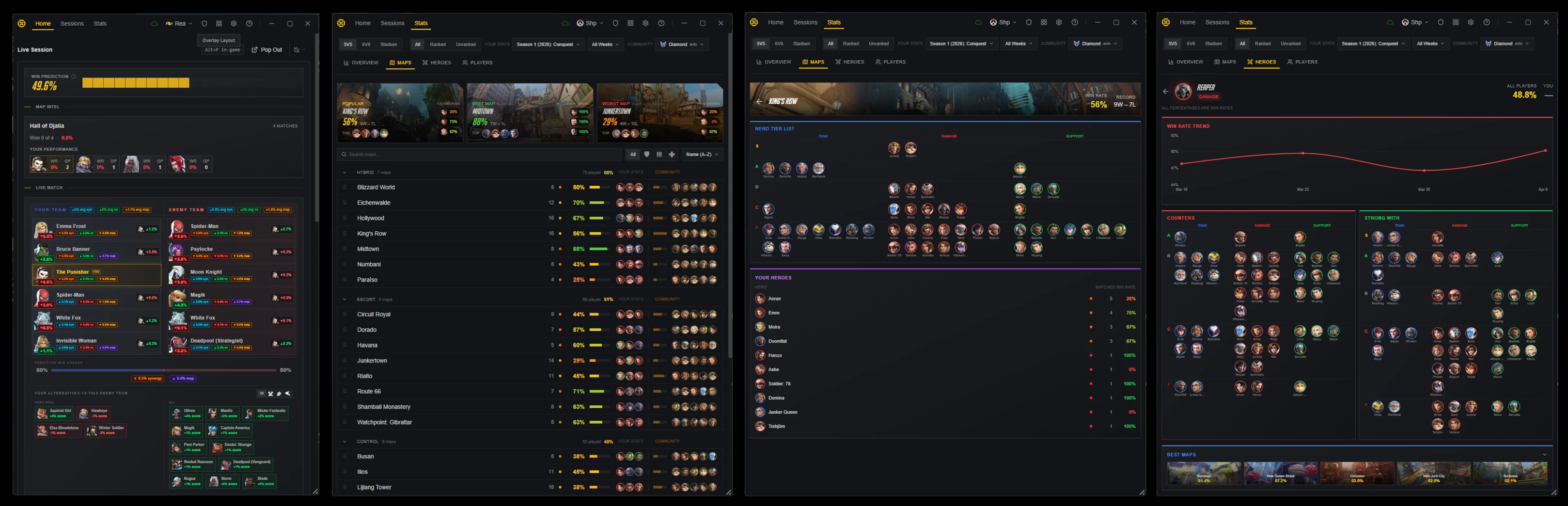
Community stats are here! I've built a full stats layer on top of real match data from Counterwatch users, covering hero win rates, counter matchups, synergy pairings, and per-map performance, all filtered to your rank division. During matches, a new lineup widget breaks down how each hero pick contributes to the team's chances. I also redesigned ult charge tracking for Marvel Rivals based on your feedback.
New Features
Community Hero Stats
- Hero Win Rates: See how every hero performs at your rank division, with overall and per-map breakdowns
- Counter Matchups: Check which heroes have the best win rates against any hero you're facing
- Synergy Pairings: Find which heroes work best together at your rank
- Division Filtering: Stats are filtered to your rank division for relevant data
Live Match Lineup
- Team Breakdown: A new in-game widget shows each hero's impact on the match based on counter, synergy, and map stats
- Win Prediction: See how your team's composition stacks up with a live win chance estimate
- Hero Pool Suggestions: Your best hero alternatives are scored and shown during the match
Hero Pool
- Set Your Heroes: Pick your preferred heroes for each role from the launcher
- Live Scoring: During matches, your hero pool is ranked by how well each hero performs against the current enemy team, their synergy with your teammates, and the map you're playing on
- Smart Suggestions: Get recommendations for heroes to add or remove based on your play history
Maps Page Redesign
- Full Map List: All maps are now visible regardless of how many you've played, with your personal stats shown alongside community data
- Top Heroes Per Map: Each map row shows the highest win rate heroes from the community at your rank
- Popularity Indicators: A heat bar shows how often each map is played relative to others
Ult Charge Redesign
- Clearer Charge Tracking: Ult charge is now shown as an accent bar beneath hero portraits with the charge number following the fill point
- Ult Ready Indicator: A clear symbol and color shift when a player reaches 100% charge
- Ulting Animations: Distinct visual effects when a player is actively using their ultimate
Bug Fixes
- Fixed overlay not showing at the start of a new match
- Fixed canceled competitive matches being saved as losses
- Fixed rejoining a match sometimes incorrectly counting as a loss
- Fixed app sometimes getting stuck showing as offline
- Fixed launcher not remembering its window position between sessions
- Fixed launcher showing blank on startup for some users
- Fixed disconnected enemy heroes disappearing between rounds
v2.18.0Server performance and multi-monitor window fixes
This release improves server performance and corrects window placement if you use multiple monitors.
Improvements
Profile Fetching
- Smarter Profile Updates
Bug Fixes
- Fixed a server-side issue that was causing slow loading times and high resource usage
- Fixed windows appearing on the wrong monitor in multi-monitor setups
Note: Sync may still be degraded until tomorrow, because I have to do database maintenance in off-hours since it will disable sync temporarily. It will run at the scheduled time and probably take up to an hour to finish.
v2.17.1Hardened sync recovery after a bad deployment
A bad server deployment briefly caused sync issues and false username prompts for some users. I've hardened the sync recovery logic so it won't spiral, and fixed a bug where playing back-to-back matches could break the second match's live session.
Bug Fixes
- Fixed the wrong game icon showing next to profile names in the profile switch prompt
- Fixed a bug where playing two matches in a row could cause the second match to not be tracked, breaking the live session view, map stats overlay, and Discord presence
- Fixed signed-in users sometimes being incorrectly asked to pick a username when the server was slow to respond
v2.7.0Rebuilt onboarding with a live app preview
I rebuilt the onboarding experience from scratch. New users now see a live dual-monitor illustration of the app in action before choosing to sign in or start tracking as a guest. The getting started checklist got a visual refresh too, and offline alerts are cleaner across the board.
New Features
Redesigned Onboarding
- Live App Preview: New users see an animated dual-monitor illustration showing the app's overlay and launcher working together, with hero swaps and live data previews for both Overwatch and Marvel Rivals
- Clearer Entry Paths: The sign-in flow is split into two steps: first see what the app does, then choose between "Start Tracking" as a guest or "Sign In" to save stats
- Game Toggle: Switch between Overwatch and Marvel Rivals previews to see game-specific features before committing
- Back Navigation: Every screen now has a back button so you can revisit previous steps
Getting Started Checklist
- Animated Border: The checklist highlights itself with a racing gradient border on first appearance, drawing attention to your setup tasks
- Overlay Editor Guidance: The "Configure overlay" task now triggers a coach mark pointing to the overlay editor button in the toolbar, guiding you to the right place
- Overlay Editor Button Coach Mark: A new first-use tooltip highlights the overlay layout button so new users know where to find it
Improvements
Status Alerts
- Smarter Offline Alert: The "You're offline" warning now appears in the main status banner and suppresses other alerts that are just downstream effects of being offline, reducing alert clutter
Bug Fixes
- Fixed the close confirmation dialog sometimes flickering when opened during gameplay
- Fixed release channel detection incorrectly logging a warning for all users on the default channel
- Fixed a rare scenario where the app could get stuck reopening a window repeatedly if it failed to display
- Fixed the onboarding window not centering properly on dual-monitor setups
v2.6.0Close confirmation, expandable status, and recovery alerts
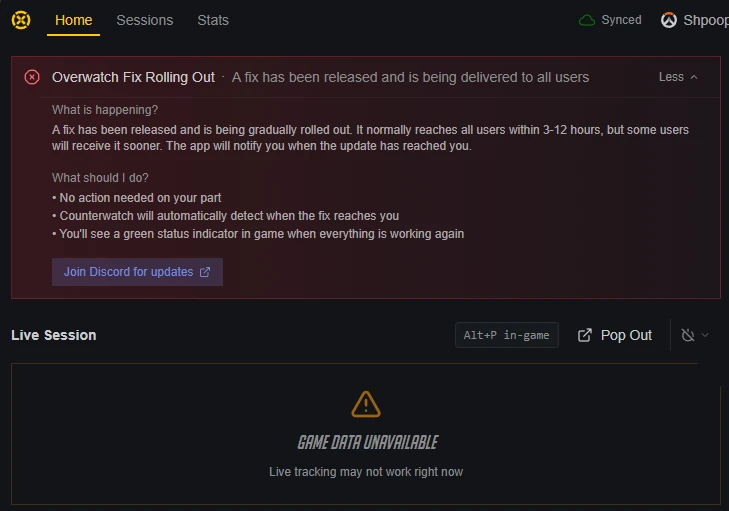
Lots of quality-of-life polish in this one. I added a close confirmation dialog so you don't accidentally quit mid-match, made the game status banners expandable with details, and you'll now get a Windows notification when a game comes back online. Session history also got some love with hero portraits and better navigation.
New Features
Close Confirmation
- Close Confirmation During Gameplay: Closing the app while in a match now shows a confirmation dialog instead of quitting immediately. Plus subscribers can choose to minimize to tray instead. Your preference is saved in Settings under "Close button behavior"
Game Status
- Expandable Status Banners: When Overwatch or Marvel Rivals tracking is unavailable, you can now click "More info" to see what's happening, what you can do, and a link to the Discord server
- Recovery Notifications: Get a Windows notification when a game you track comes back online, even if the app is minimized
Improvements
Session History
- Hero Portraits on Session Cards: Hero portraits now show on collapsed session cards without needing to expand them first
- Preserved Navigation State: Clicking back from a match detail now keeps your session expanded instead of collapsing everything
Live Session
- Better Waiting Messages: Replaced the vague "Warming up..." text with clearer messaging about what's happening. When game data integration is having issues, you'll see a specific warning instead of just a spinner
Window Management
- Monitor Awareness: Desktop windows now properly move off your game monitor when a match starts, including on app startup. Closing a secondary window brings back the launcher instead of leaving you with nothing
Bug Fixes
- Fixed the update banner disappearing when navigating between pages
- Fixed duplicate alerts showing when game data is unavailable
- Fixed the last session map strip showing too many maps
- Fixed the status banner showing contradictory information when a fix is rolling out
v2.5.0Smoother first-time setup and two new Stadium maps
First-time setup should be much smoother, and several frustrating UI quirks have been cleaned up. I fixed match popout windows so they work independently, resolved a sign-in loop during onboarding, and added support for the two new Overwatch Stadium maps.
New Features
Overwatch Stadium Maps
- Serenza Arena & Busan Sanctuary Arena: Added support for the two new Stadium maps
Startup Health
- Slow Startup Detection: If the app's local database takes too long to load, a progress bar and optimization suggestion now appear to help speed things up
Improvements
Sign-In Experience
- Persistent Sign-In Code: If the app restarts while you're entering a sign-in code, you'll return directly to the code entry screen instead of starting over
- Smoother Username Setup: Setting your username now happens within the welcome flow, preventing a loop where you could get stuck being asked to sign in repeatedly
Game Integration Setup
- Smarter Alerts: The game integration disabled alert now only shows for the game you're currently viewing
- One-Click Enable: You can now enable game integration directly from the alert instead of navigating to settings
- Restart Hint: After enabling game integration, a helpful hint reminds you to restart the game if it's not detected yet
Profile Switching
- Inline Switch Prompt: The profile switch prompt now appears directly in the Live Session header instead of in the toolbar
Profile Notices
- Collapsible Unavailable Notice: The profile unavailable notice is now a compact, expandable bar instead of a large dismissable alert
Bug Fixes
- Fixed match popout windows not working independently, so you can now open several matches side by side
- Fixed launcher content sometimes appearing invisible after the loading screen
- Fixed the news progress bar rendering behind article images
- Fixed the "Skip tour" button and step counter showing unnecessarily on single-step guides
- Fixed getting started tasks not completing when opening windows from the toolbar
- Fixed too much spacing between alerts and page content
- Fixed signed-out users having no way to sign in from account settings
- Fixed hero sessions showing heroes from other players instead of only your own
- Fixed false "Backend unavailable" alerts caused by session expiry in long-running sessions
v2.4.0A full sign-in audit for a seamless login
Signing in should now feel seamless. I did a full audit of the authentication flow, fixing cases where sign-in windows closed too early, OAuth buttons got stuck, and onboarding didn't advance properly. Closing the app is also simpler for free users, and the upgrade panel no longer causes layout issues.
New Features
Subscriber Perks
- Hide to Tray: Minimizing to the system tray is now listed as a Plus perk in the upgrade screens
Improvements
Sign-in Experience
- Smoother OAuth Flow: Signing in with Google or Discord from onboarding now opens the auth window with visual feedback, a retry option, and an email fallback instead of silently waiting
- Auto-Start OAuth: When signing in from onboarding, the auth window jumps straight into the selected provider instead of showing the method selection screen again
- Auto-Advance Onboarding: If you're already signed in, onboarding now skips the sign-in step automatically
App Close Behavior
- Faster Exit for Free Users: Pressing X now closes the app immediately instead of showing a dialog with options you can't use
Bug Fixes
- Fixed the sign-in window sometimes closing immediately before you could interact with it
- Fixed OAuth buttons becoming permanently disabled after a failed attempt
- Fixed the onboarding window losing focus after completing sign-in
- Fixed the profile dropdown appearing empty when no game profiles are linked
- Fixed the upgrade panel overflowing and causing scrollbars in the sidebar
v2.3.0Redesigned launcher home with Home, Sessions, and Stats
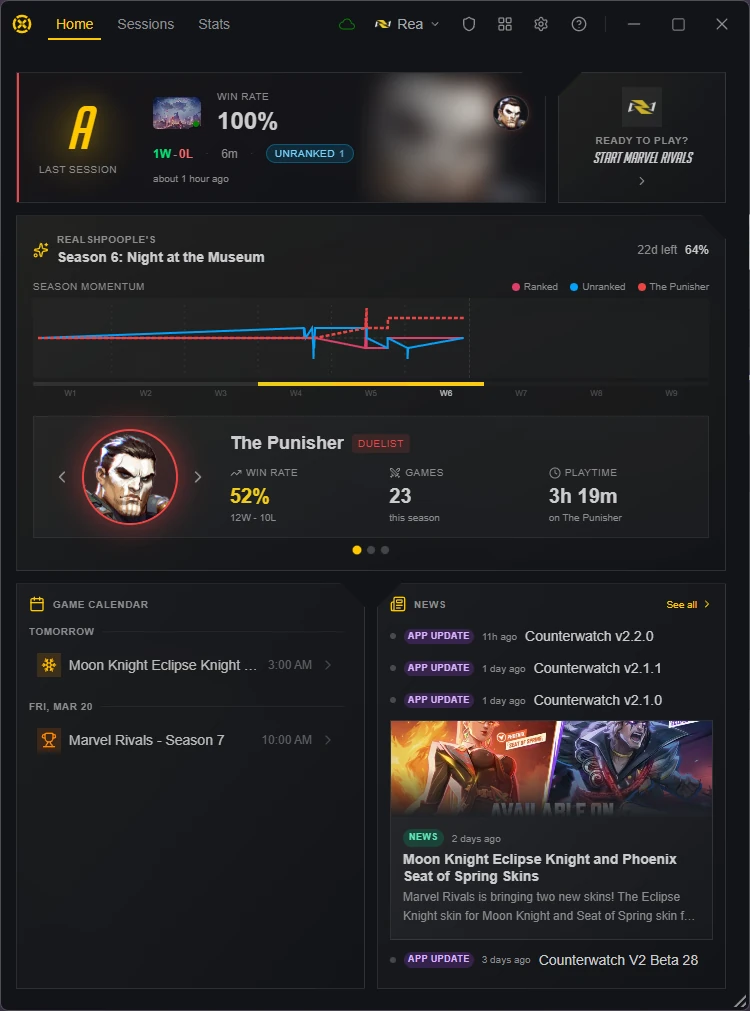
The launcher home page has been completely redesigned with a more focused layout. Instead of a single scrolling page, there are now three dedicated sections with icon rail navigation and detailed drill-down views. I also redesigned the welcome flow and improved several small details across the app.
New Features
Redesigned Launcher Home Page
- Three-Section Layout: The home page now has dedicated Home, Sessions, and Stats surfaces instead of a single scrolling page
- Icon Rail Navigation: Quickly switch between sections using the new sidebar icon rail
- Session Timeline: Browse your play sessions in a new timeline view with runtime-aware session cards
- Match Detail View: Click into any match or article for a focused detail view without leaving the launcher
- Match Popout: Pop out individual matches into their own window for side-by-side viewing
Redesigned Welcome Flow
- Two-Phase Setup: Game selection and sign-in are now split into two clear steps, making it easier to spot the sign-in option and get started
Subscriber Perks
- Hide to Tray: Minimizing to the system tray is now a subscriber-exclusive feature. Free users can still minimize windows normally, and quit behavior remains the same for everyone
Improvements
Window Toolbar
- Updated Icons: The minimize, maximize, restore, close, and settings icons have been refreshed with a cleaner, more consistent look
Bug Fixes
- Fixed in-game player icons sometimes blending into bright hero portraits
- Fixed the launcher window shrinking below its intended size when ad layout changed
- Fixed the onboarding screen sometimes appearing alongside the launcher on startup
v2.1.1Hotfix for a first-time sign-in crash
A quick hotfix for new users: signing in during first-time setup no longer opens two windows at once or causes the app to close unexpectedly.
Bug Fixes
- Fixed a bug where signing in with Google or Discord during first-time setup could open the main window behind the setup screen, and closing the setup screen would shut down the entire app
v2.1.0Overlay editor redesign and inline checkout
The overlay editor got a full redesign, and subscribing is now a smoother inline experience. I've also added grade tooltips so you can actually understand what those letter grades mean, fixed roster widgets sticking around after matches, and resolved several issues with login and subscription flows.
New Features
Overlay Editor Redesign
- Cleaner Editor Layout: The overlay editor has been rebuilt with integrated controls, a new scene and game selector in the toolbar, and per-widget color customization directly in the editor
- First-Use Guidance: New coach marks guide you through the editor on your first visit
Inline Checkout
- Streamlined Subscription Flow: Selecting a plan now opens an inline checkout checklist instead of navigating to separate screens, with auto-advancing steps for signing in, linking Discord, and completing payment
Grade Tooltips
- Grade Badge Explanations: Hover over any hero grade badge to see how you compare to your average, and hover over session grades to see the win-rate thresholds
Role Badges
- Staff Role Indicator: Testers now see a colored badge next to their username in Account settings
Improvements
Calendar
- Smarter Event Expiry: Events without a set end date now auto-expire after 3 days instead of staying in the calendar forever, and the closest upcoming season is always shown regardless of how far away it is
Bug Fixes
- Fixed match roster widgets sometimes staying visible after a match ended
- Fixed username prompt incorrectly appearing when the server was temporarily unreachable
- Fixed subscription status checks failing silently instead of retrying
- Fixed FAQ edits by staff not appearing immediately after saving