
Counterwatch runs alongside your game.
You just play.
A free Windows companion for Overwatch and Marvel Rivals. It reads your match live, calls out counters and win chance, and tracks every session, while you focus on the game.
Free on Windows · installs via Overwolf
On mobile? Send yourself the link to install on your PC.
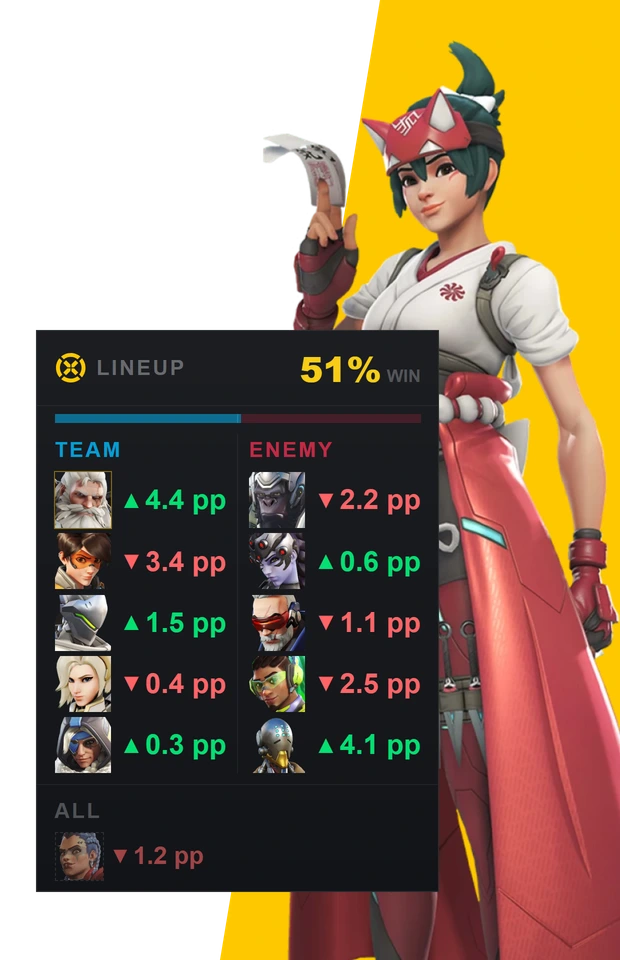
Straight from the app.
The overlay during a match, and the launcher between matches. These are the app's own screens, with real community numbers in them.
Everything you'd alt-tab for, on your HUD.
The in-game overlay sits on top of Overwatch or Marvel Rivals and surfaces the same match info the game already shows you, in one place, as it happens. Counterwatch never reveals anything that isn't already visible in-game or through the official APIs. Here's what it shows, and why it matters. One of these lives on the second-screen window rather than the overlay, and says so.
Overlays rendered in-browser with real hero data. The live app looks the same.
Enemy team
 Ramattra
Masters
 Tracer
Diamond
 SwapCassidy
Masters
 Ana
AnaGrandmaster
 Kiriko
Diamond
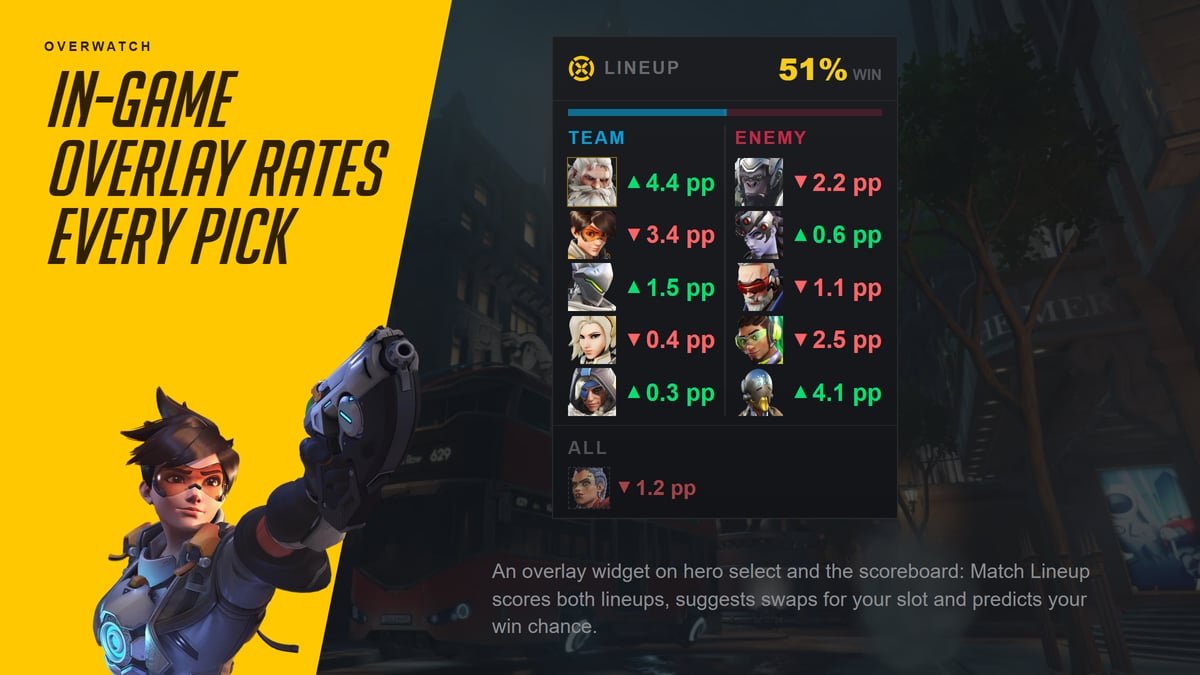
Match lineup
Every pick, every swap, 10 players in one panel.
Counterwatch lists your allies, the enemy team, their roles, and your own hero pool scored against the live match. Same information the game is already showing, just in one place and in order, so you don't lose track mid-fight.
- Your own hero pool, each pick scored against this match
- Role on every row
- Refreshes as picks and swaps happen in-match
Hero swaps
LIVE
 +0:12Enemy
Iron Man

 +0:42Enemy
Magneto

 +1:18Ally
Luna Snow
Hero change feed
Know the second they swap.
When an enemy swaps mid-fight, the feed logs the change with a timestamp so you can adapt without having to stare at the killfeed. Notifications only fire after the swap is already visible on the in-game scoreboard.
- Timestamps relative to match clock
- Role-coloured so you parse it in a glance
- Nothing appears before the game shows it
Composition advantage
LIVEAllies
Enemies
Composition advantage
Read the fight before the fight.
On the second-screen window, Counterwatch classifies each team as Poke, Rush, or Dive, then shows you which side's shape wins the matchup. If your team's comp falls apart against theirs, you'll see it before the barriers drop.
- Poke / Rush / Dive archetype per team
- Matchup triangle + advantage gauge
- On the second screen, not the in-game overlay
Predicted win chance
LIVE



Made from hero-vs-hero counters, teammate synergies, and per-map win rates. Updates as anyone swaps.
Predicted win chance
A real number, not a vibe.
Counterwatch predicts your win chance from hero-vs-hero counter matchups, teammate synergies, and per-map win rates. Watch it shift when anyone swaps. Green means you're favoured; red means it's time to cook something new.
- Built from counters, synergies, and map win rates
- In both games from Match Lineup, plus a separate rank-based readout on Marvel Rivals
- Moves live as picks and swaps happen
Your map · King's Row
Personal win rate on this map
- Tracer62%41 MP
- Ashe
 58%28 MP
 - Cassidy54%33 MP
- Reaper
 46%19 MP
Overlay editor
DRAG & DROPMap performance + overlay editor
Built around your match, on your terms.
See your personal win rate on whatever map just loaded, so you know which hero in your pool has actually delivered there. Every widget is draggable and resizable in the overlay editor, so the HUD fits the way you play.
- Your map history, not the community's
- Drag anything anywhere
- Placed per scene, so hero select and the scoreboard show what you want
A session rating that measures how you played.
The desktop launcher sits outside your game. Open it between matches or on a second screen to see exactly how today is going, which heroes carried you, and where the day went sideways.
Session Impact
Against the average player on each hero at your rank.
Session Impact
Every session gets an Impact rating from 1 to 99 with a letter from S to F: how you played across its matches, against the average player on each hero at your rank. Your record sits beside it; winning isn't part of the rating.
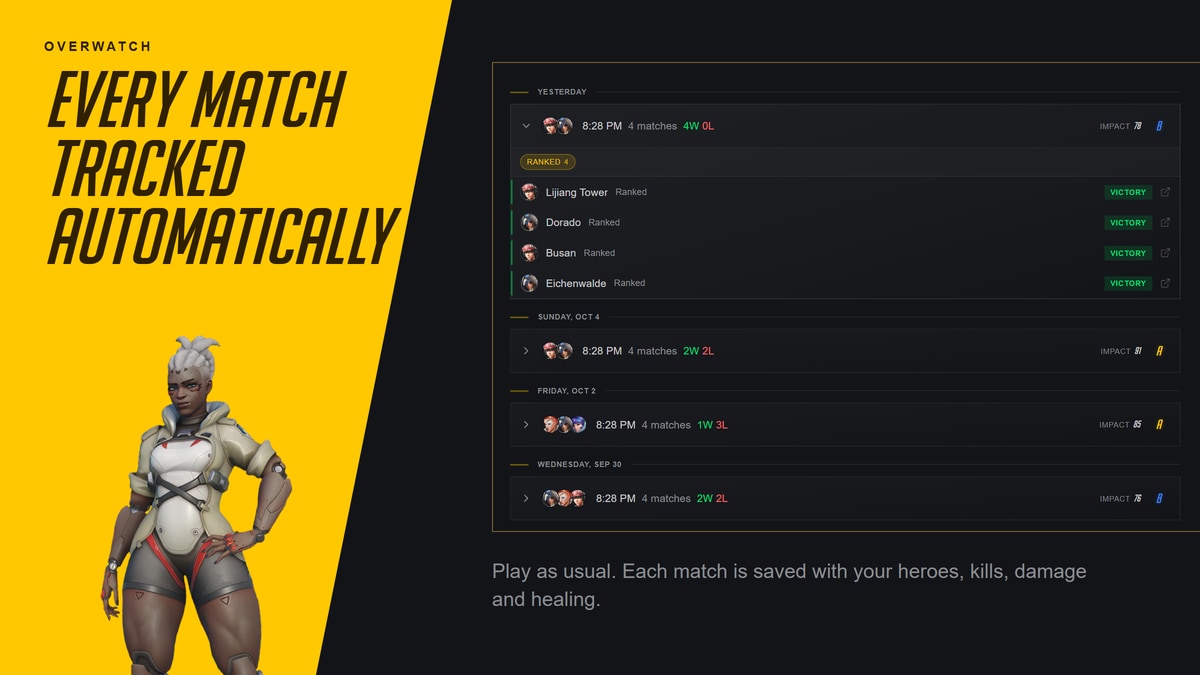
Match history with full swap timeline
Every match pops out into its own window with the map, your heroes, the enemy heroes, hero swaps, and your Impact for the match and for each hero.
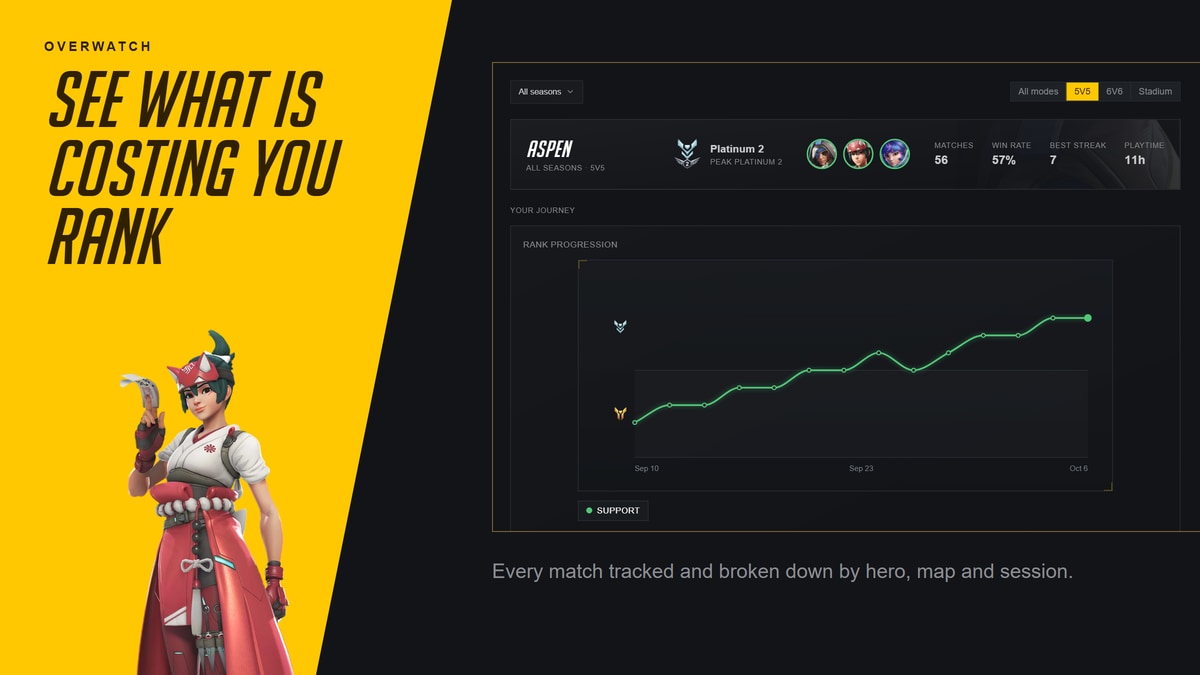
Personal stats on top of community baselines
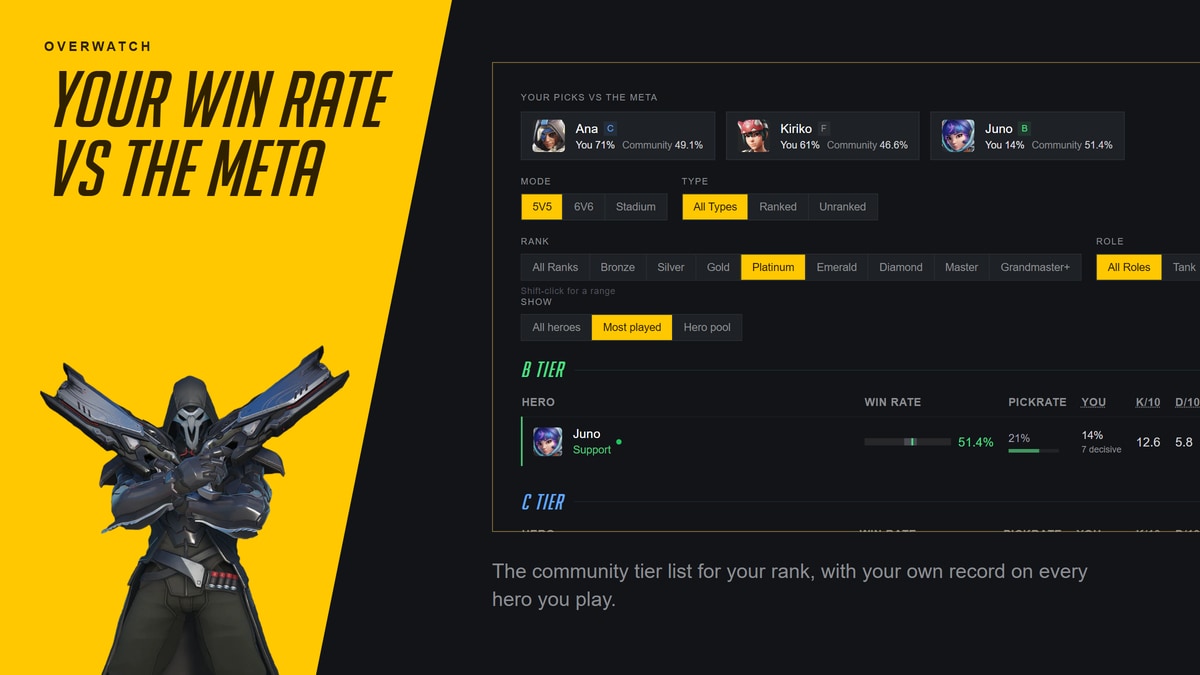
Your per-hero win rates sit next to the wider community numbers for your rank, so you see where you're overperforming.
Everything on this site is live inside the app.
You already know the free web tools. The app is the same data, surfaced automatically as you play. Pick any tool to see what the app turns it into.
On the web
Hero tier list
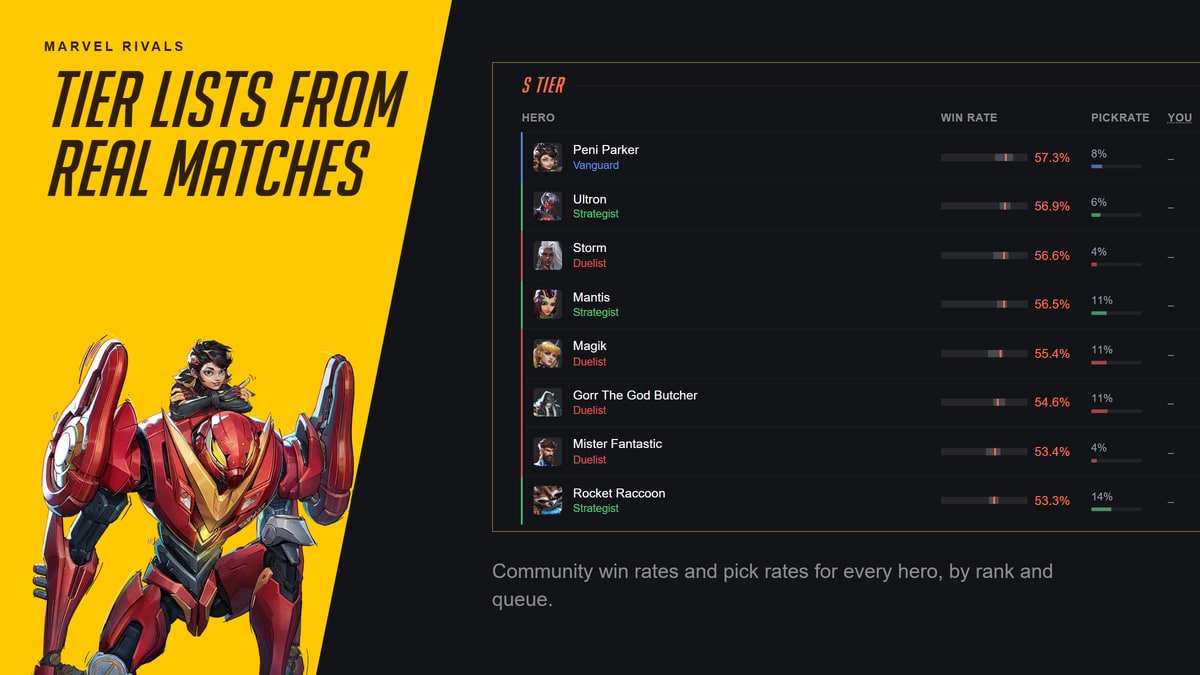
Every hero ranked by shrunk win rate, filterable by rank and mode.
In-appIn the app, S-tier enemy swaps flash the moment they happen.
On the web
Best one trick heroes
The strongest hero to main per role, plus three honourable mentions.
In-appIn the app, every match rates your play on your main against the average player at your rank.
On the web
Team builder & counter picker
Build both teams by hand, see a live win-chance prediction.
In-appIn the app, this runs automatically. Picks come from the lobby.
On the web
Hero stats by map
Hero win rates on every map in the rotation.
In-appIn the app, the map is read for you and your personal rates drop in.
Approved by Blizzard and NetEase. No one has ever been banned.
Approved and safe
Officially approved by Blizzard and NetEase. Counterwatch only shows information already visible in-game or available through the official APIs. It is not a cheat, bot, or hack.
Free
The in-game overlay, match tracking, and community stats are all included at no cost. There are optional Plus and Premium subscriptions that remove ads and add extra features.
Windows only
Installs via Overwolf on Windows 10 and later. You can use it as a Guest with no account, or sign in for free to unlock cloud sync and personal stats. No macOS or Linux support.
Three clicks. Nothing else.
Counterwatch installs through Overwolf, the same platform a lot of Overwatch and Marvel Rivals apps use. No game patches, no account needed to start.
Install via Overwolf
One click from the Overwolf store. Installation takes under a minute and no extra account is required.
Launch your game
Start Overwatch or Marvel Rivals. Counterwatch detects the match and the overlay comes up on its own.
Play
Picks, swaps, win chance, and map stats appear live. Alt+K to hide the overlay, Tab auto-hides it.
Free on Windows · installs via Overwolf
Questions worth asking.
Do I need to keep the overlay open to use the app?
No. Alt+K hides every widget at once, and you can disable the overlay completely in the app's settings. Match tracking, Impact ratings, and stats still run in the background either way, so you can use the desktop launcher on a second screen and never see an overlay.
Will the overlay cover my scoreboard or UI?
The overlay auto-hides while you hold Tab, so the scoreboard is never obscured. You can also drag any widget, resize it, or hide individual widgets via the overlay editor if a specific UI element gets in the way.
What happens if my internet drops mid-match?
Counterwatch keeps tracking your match locally. It writes to an on-device database and syncs up once you're back online. You won't lose your match history because of a dropped connection.
Can I turn off hero swap popups?
Yes. Every widget is toggleable in the overlay editor, so you can keep the match lineup and win chance while switching the swap feed off. Notifications are opt-in per category.
Get Counterwatch
Free, approved, installed in a minute. Every widget on this page, live in your next match.
Prefer the browser? Try the free web version.