
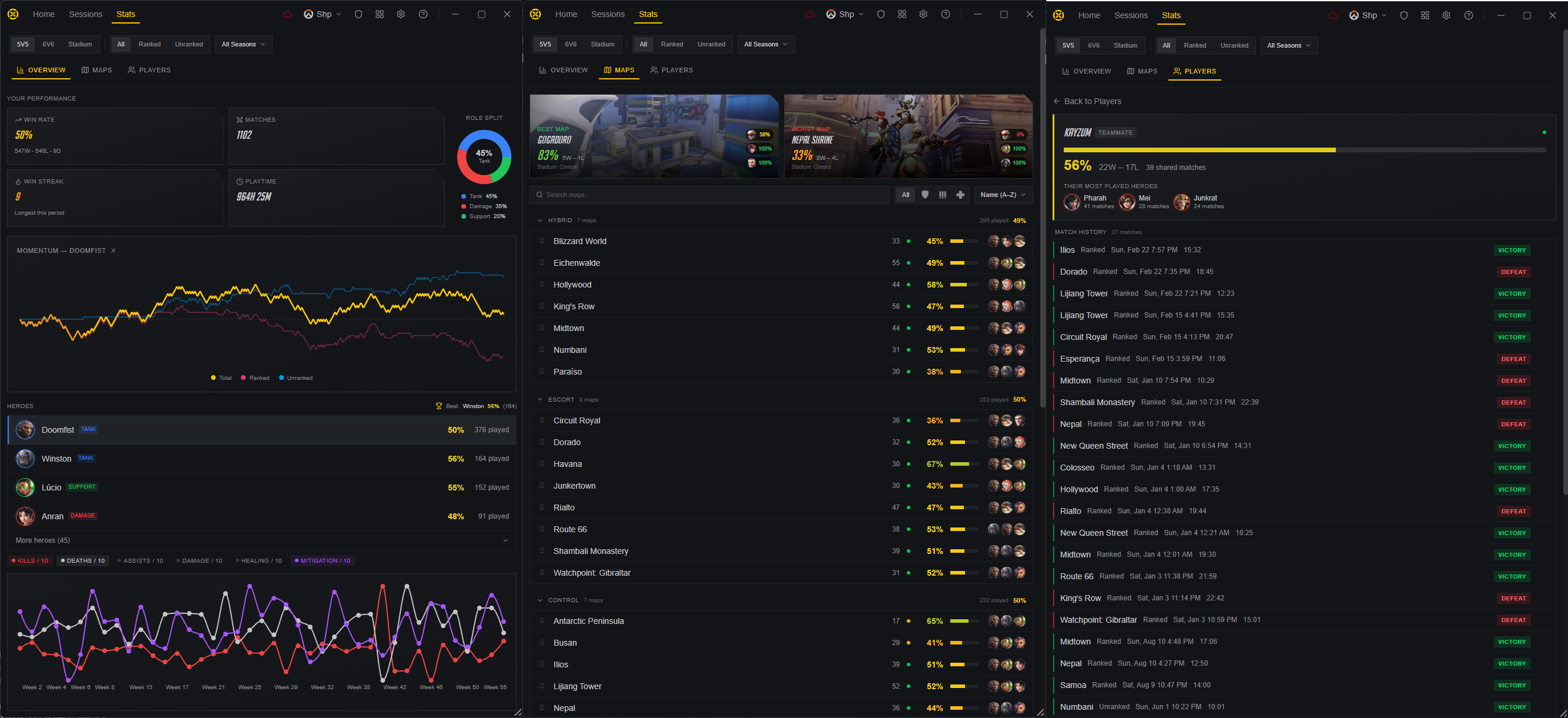
The stats page has arrived. Dig into your win rates, hero performance, and map breakdowns across every game type and season. Track your momentum over time and browse your match history with any player you've encountered. Beyond stats, this update packs weeks of stability work, a new win streak meter, UI scaling controls, and a long list of quality-of-life fixes.
2.17.0
New Features
Stats Page
- Overview Tab: See your win rate, total matches, playtime, win streak record, and role distribution at a glance. A momentum chart tracks your performance trends week by week, and your full hero roster shows win rates and games played
- Map Performance Tab: Browse every map grouped by type (Hybrid, Escort, Control, etc.) with win rates, games played, and your most-played heroes per map. Filter by role or specific hero, and search for any map by name
- Players Tab: View all teammates and opponents you've encountered, sorted by games shared. Search for any player, toggle between besties and rivals, and click into a detail view showing your head-to-head record, their most-played heroes, and full shared match history
- Filters: Slice all stats by game format (5v5, 6v6, Stadium), game type (Ranked, Unranked, All), and season
- Coming Soon: Community-based stat comparisons are in the works, so you'll soon be able to see how your hero and map performance stacks up against players at your rank
Win Streak Meter
- Live Streak Tracking: During a session with 3+ consecutive wins, a progress bar appears on the session card showing your streak relative to your personal best. Hit a new record and you'll see a celebration animation
UI Scale
- Adjustable UI Scale: A new UI Scale setting (75%-150%) in Customization lets you resize the entire app interface to your preference
Overlay Improvements
- Auto Aspect Ratio: The in-game overlay now automatically matches your game's actual render area, with proper clamping for ultrawide monitors. No more manual aspect ratio setup during onboarding
Hotkey Reminder
- 2nd Screen Notification: When a match starts on a multi-monitor setup, you'll see a notification reminding you of the hotkey to open the session popout (e.g. "Press ALT+P for 2nd screen"). Can be toggled off in settings
Improvements
Sessions
- Cross-Game Filtering: Switching between Overwatch and Marvel Rivals no longer accidentally shows matches from the other game
Navigation
- Auto-Navigate Home: The launcher now automatically returns to the home page when you launch a game, instead of staying on whatever page you were browsing
Startup & Stability
- Faster Startup: Fixed several startup timing issues that could cause profiles to not load, show stale data, or display "No Profile Selected"
- Database Migration Progress: Schema migrations now show actual progress percentage instead of "0/0"
- Sync Error Handling: Data sync no longer retries endlessly on permanent errors, and the sync indicator now shows error state on hover
Bug Fixes
- Fixed rank badges and profile buttons incorrectly showing for users who aren't signed in
- Fixed the app sometimes zooming in incorrectly after waking from sleep mode
- Fixed Today/Yesterday labels on matches being wrong near midnight in some timezones
- Fixed the overlay editor's aspect ratio changes not taking effect in-game
- Fixed ads remaining hidden and the "Hide advertisements" toggle staying enabled after signing out from a subscriber account
- Fixed window positions sometimes ending up partially off-screen
- Fixed the main window not coming to the front when a game launches
- Fixed the "Set Username" prompt getting stuck in a window that couldn't close
- Fixed horizontal scrollbars occasionally appearing in the launcher
- Fixed previous user's session data briefly showing after signing out
- Fixed pinch-to-zoom and keyboard zoom shortcuts unintentionally resizing the app
- Fixed the minimum window size not updating after subscribing or unsubscribing
2.11.0
New Features
Game Mode Support
- Stadium Ranked & Unranked: Stadium is now split into two separate modes with individual tracking
- Wuxing University Water College: Added the new Overwatch map
Improvements
Match History
- Match Timestamps: Match list items now show when each match was played (e.g. "Today 2:30 PM") instead of just the match number
Bug Fixes
- Fixed match data sometimes loading with empty scoreboard and hero information
- Fixed the subscription page briefly showing the wrong plan after purchasing
2.10.0
Improvements
News Widget
- No More Auto-Scrolling: The news carousel no longer rotates automatically, staying on the first article instead
Bug Fixes
- Fixed the app sometimes opening behind the game on multi-monitor setups
- Fixed scrollbars appearing during the onboarding celebration screen
2.9.0
Improvements
Discord Presence
- Party Size: Discord status now shows whether you're playing solo or in a party of a specific size
Bug Fixes
- Fixed profile data not syncing between windows, causing newly detected profiles to not appear in the dropdown
2.8.0
Bug Fixes
- Fixed an issue that could cause the app to restart in a loop for some users
- Fixed the sign-in window incorrectly opening the main app during the onboarding flow
- Fixed users with existing usernames being incorrectly prompted to set a username again